Loopdrive – User and installation manual
4.2. OPEN fault
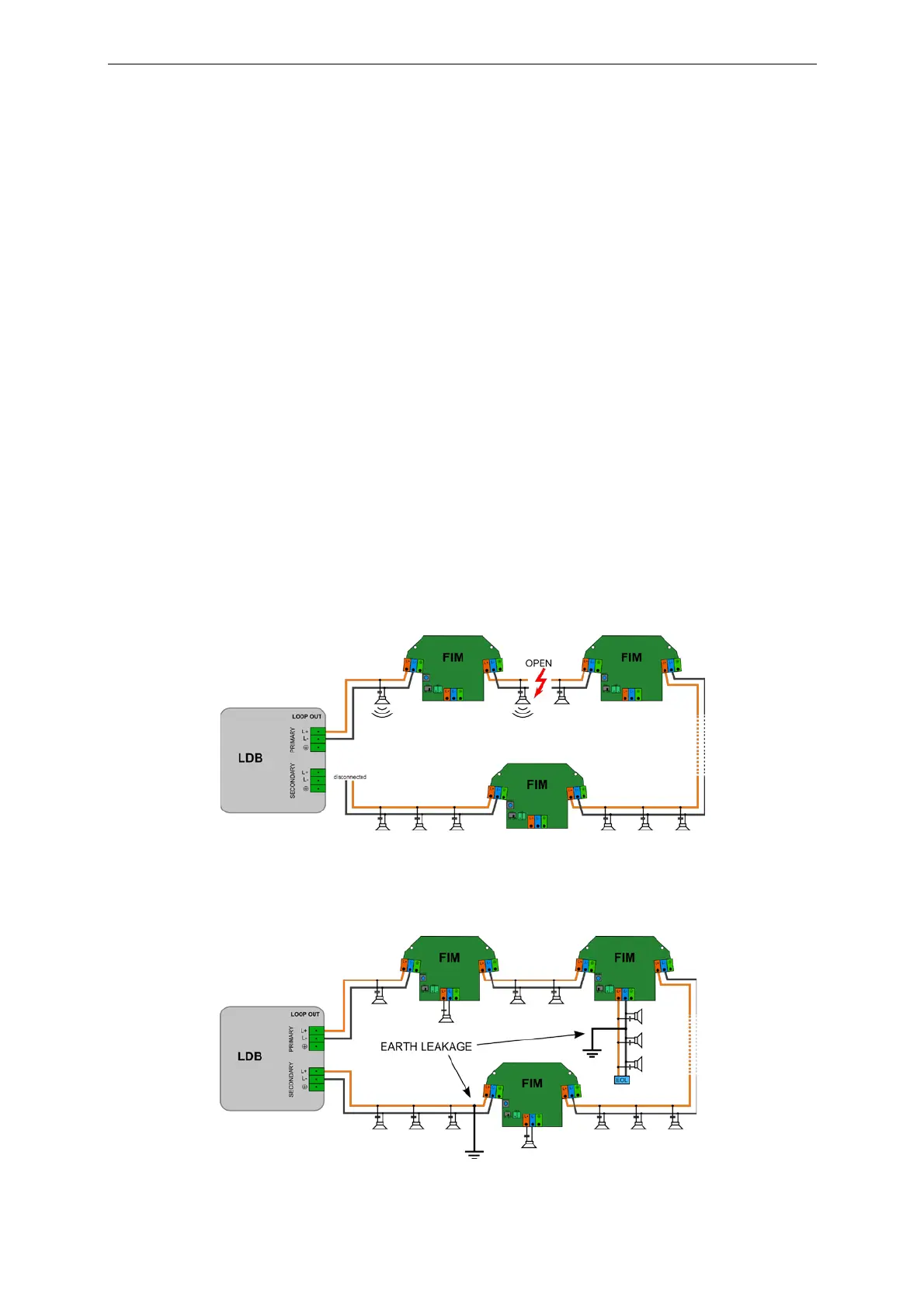
LDB shows OPEN fault in following cases:
a. Loop cable is open (L+ or L- or both wires)
b. Loop section between FIMs is isolated because of previously detected short circuit. See previous chapter:
SHORT indication.
c. T-Branch fault (OPEN or SHORT)
NOTE:
In case of T-Branch fault (OPEN or SHORT), FIM will open both loop relays, isolating T-Branch and causing the loop OPEN fault on LDB. The
FIM
reporting T-Branch fault will stay open until the fault is still detected. To close the loop again, FIM reset is required after removing the fault.
d. Power amplifier is disconnected.
What to do?
First: check if power amplifier is connected. If so, continue with the same procedure as for SHORT fault. Two
alternative solutions are available:
a. Loopdrive Sniffer (PC application) is the easiest way to go. Use FIM tracking feature for the best result.
FIM tracking is automated procedure which allows you to find the exact location of the open fault.
Please, go to the Loopdrive Sniffer manual for details.
b. Disconnect loudspeaker cable from SECONDARY output of LDB and put an audio signal in the zone
including faulty loop. Loopdrive will feed the loop with audio signal only from PRIMARY side. While
listening to loudspeakers follow the loop and find first area (including T-Branches) with no sound
reproduction.
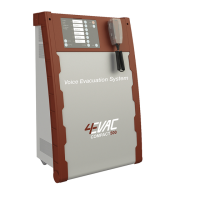
4.3. EARTH fault
LDB reports EARTH fault if any cable in the line (including T-Branch lines) causes a current leakage to the ground.


 To Next Page