7
English
Initial Setup
Step 1: Inserting the SIM card
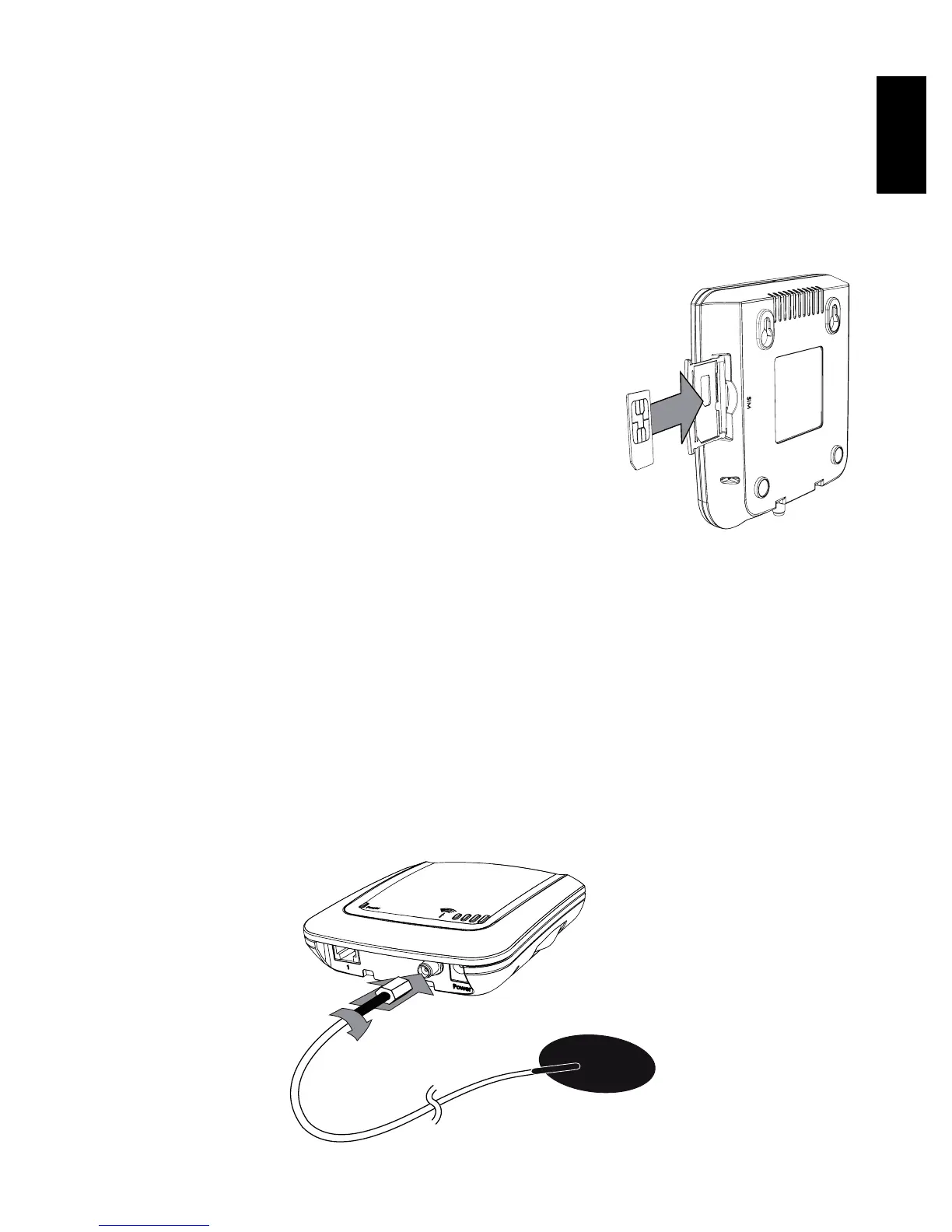
Insert the SIM card into the pull-out SIM card drawer of the XSJackT3.
Then push the drawer in until you hear it snap into place. If you are
unable to open the drawer by hand, use a coin as a tool.
In case the SIM card drawer is completely
pulled out of the device, carefully reinsert
the drawer into the XSJackT3 while not
containing the SIM card. Note that the tray
of the drawer must face to the back of the
XSJackT3
Note: Never remove or insert the SIM
card while the device is connected to the
power supply. This could lead to unexpec-
ted behaviour and even permanent damage to the device or the SIM
card. Disregarding this warning causes a warranty breach.
Step 2: Connecting the antenna
This step only applies for the XSJackT3e. Please screw the supplied
external antenna to the corresponding connector of the XSJackT3e as
shown.



 To Next Page