Quick Installation Guide
EAP706 Enterprise Access Point ENGLISH
Copyright © 4IPNET, INC. All rights reserved.
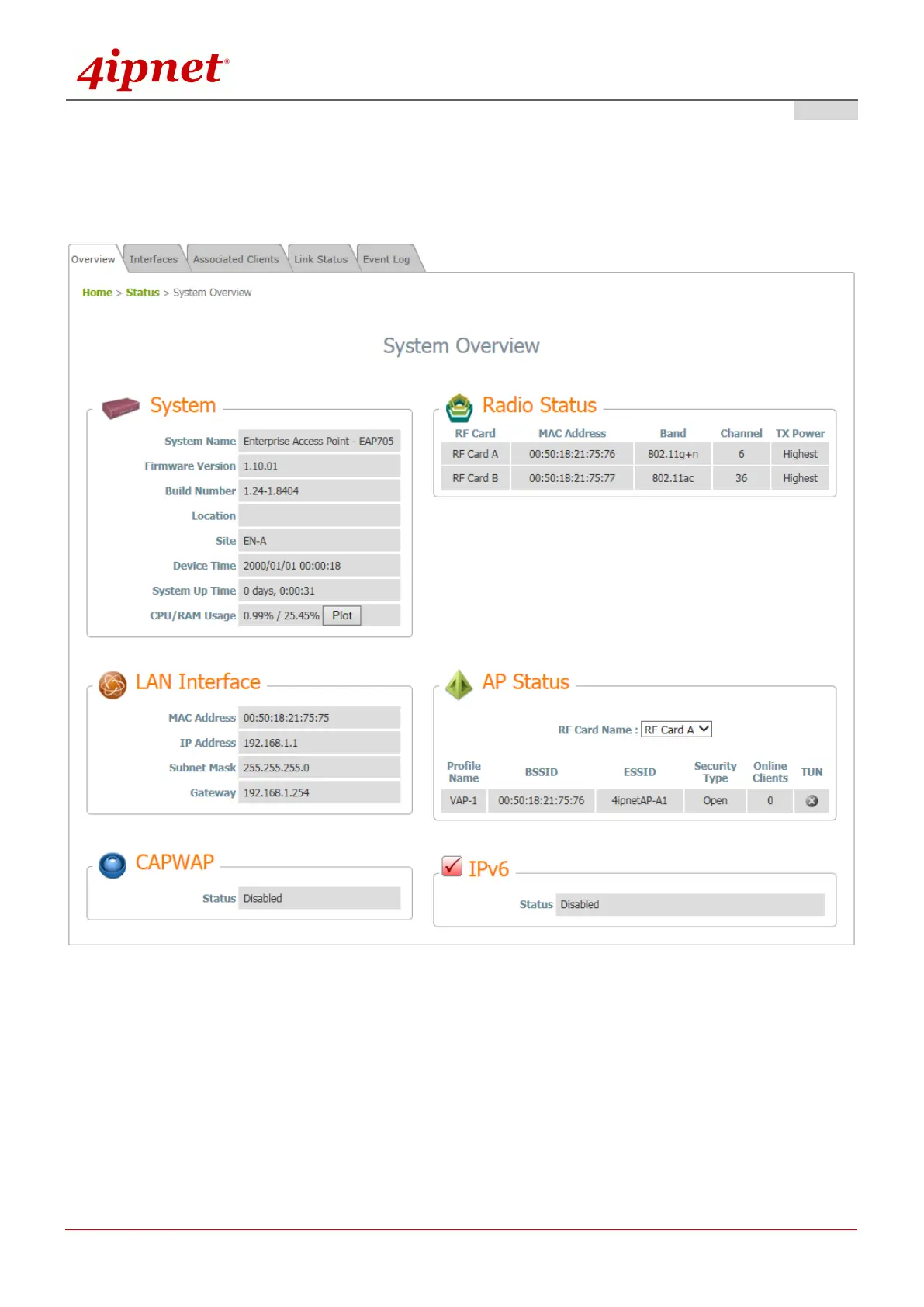
4. After a successful login to EAP706, a System Overview page of the Web Management Interface will
appear, as depicted below. The Radio Status and AP Status will be shown.
The Web Management Interface - System Overview Page
5. To logout, simply click on the Logout button at the upper-right corner of the interface to return to the
Administrator Login Page. Click OK to logout.



 To Next Page