Quick Installation Guide
EAP706 Enterprise Access Point ENGLISH
Copyright © 4IPNET, INC. All rights reserved.
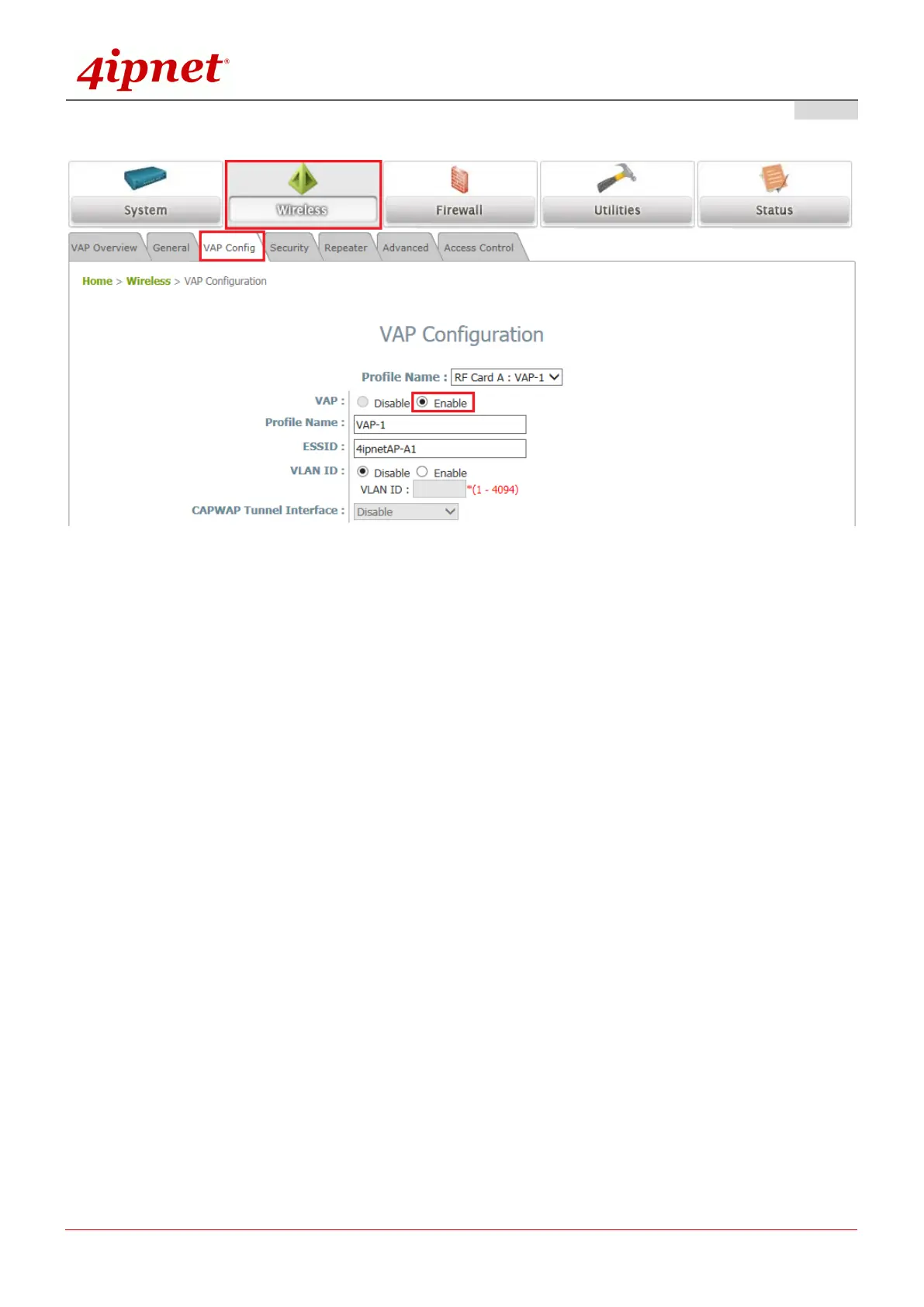
Step 3. Configure VAP (Virtual Access Point) Profile Settings
VAP Configuration Page (VAP-1 shown)
The EAP705 supports up to 8 virtual APs (VAPs) per radio.
Configure VAP profile settings:
(a) Select the VAP Config tab to configure the settings of the desired VAP.
(b) Enable a selected VAP from the drop-down menu of Profile Name and configure related
settings below.
Check VAP status:
After finishing VAP configuration, the status of the enabled Virtual APs shall be reflected on the VAP
Overview page.



 To Next Page