Quick Installation Guide
EAP706 Enterprise Access Point ENGLISH
Copyright © 4IPNET, INC. All rights reserved.
Back Panel
1
2 3
4a (2)
4b (2)
4a (1)
4b (1)
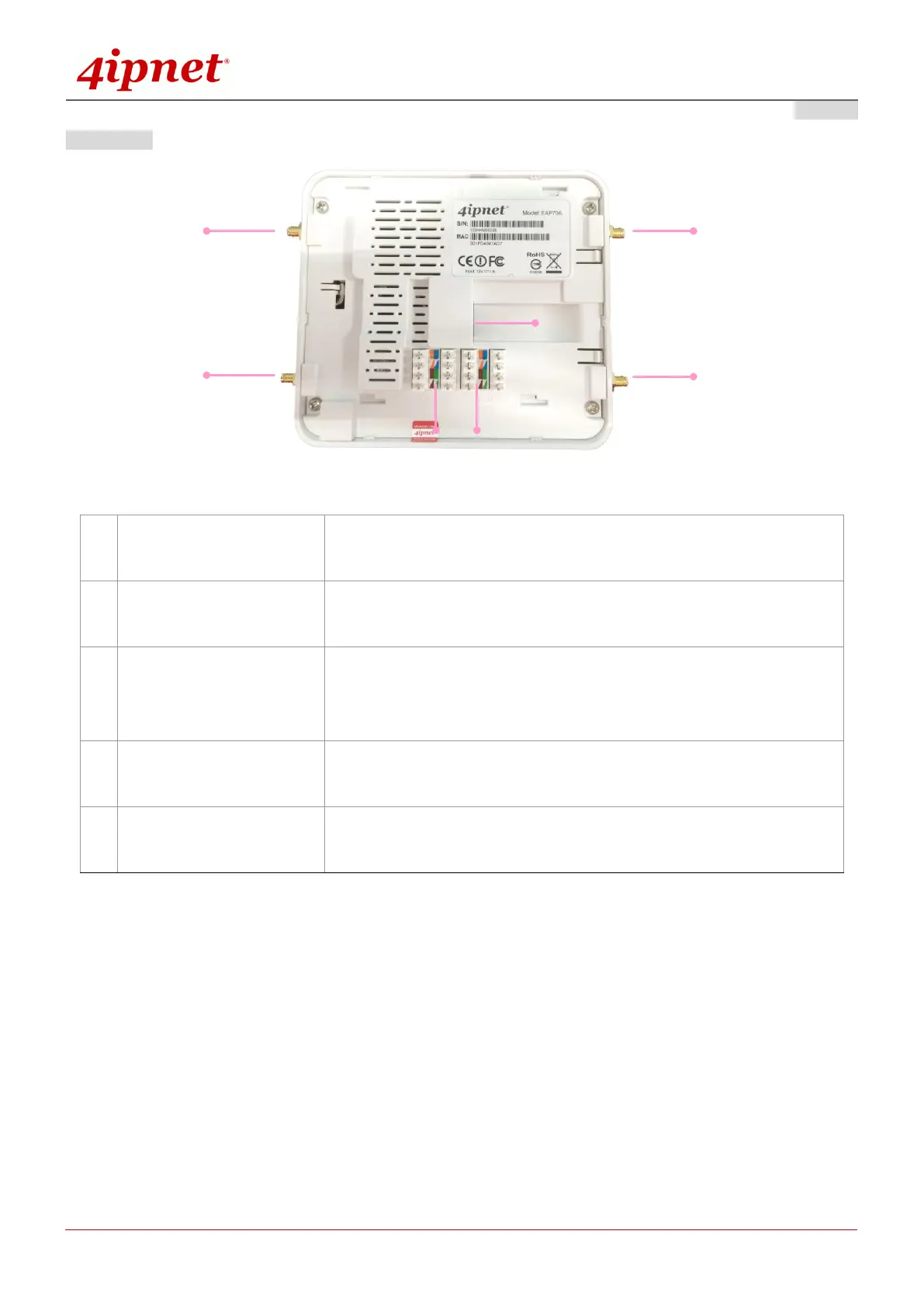
EAP706 Back Panel
For Uplink connection. This port can be used to connect to a controller,
gateway, or directly to the internet. PoE is supported.
110 Punchdown Block
(Pass-through)
Copper wire punch down for wiring bypass.
110 Punchdown Block
(Uplink PoE)
Copper wire punch down for Uplink connection. This can be used to
connect to a controller, gateway, or directly to the internet. PoE is
supported.
Connect external antennas for RF Card A here. (1) is the primary
antenna connector while (2) is the secondary connector.
Connect external antennas for RF Card B here. (1) is the primary
antenna connector while (2) is the secondary connector.



 To Next Page