Quick Installation Guide
EAP727 Enterprise Access Point ENGLISH
Copyright © 4IPNET, INC. All rights reserved.
Step 2. Configure General AP (Access Point) Settings
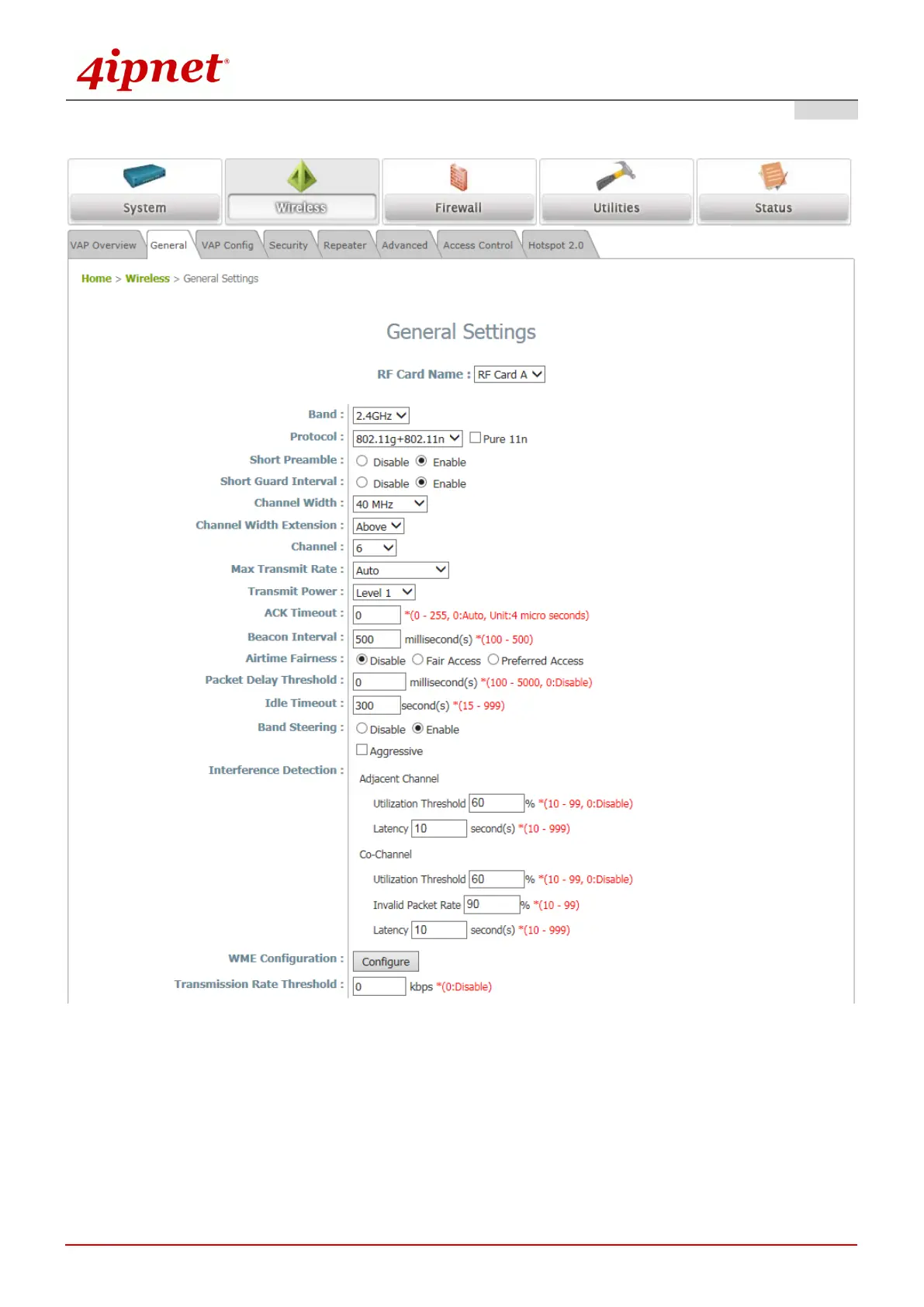
Wireless General Settings Page
Click on the Wireless icon on the main menu, and then select the General tab.
Determine the Band, Protocol and Channel settings:
Select your preferred Band, Protocol and Channel for you wireless connection. For example, select
2.4GHz for the band, 802.11g+802.11n for the protocol and 6 for the channel.



 To Next Page