
 Need help?
Do you have a question about the 4ms Sampler and is the answer not in the manual?
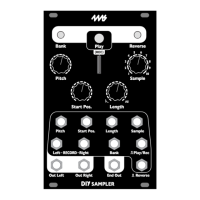
Introduces the Sampler's features and details its playback channel controls.
Covers the recording process and how to organize audio files for the Sampler.
Lists the physical dimensions, power requirements, and electrical characteristics of the module.
Demonstrates how to loop samples and adjust pitch using controls and CV.
Explains how to use the Reverse button/jack for forward/backward playback.
Covers moving between banks, their organization by color, and quick selection methods.
Details entering recording mode, channel volume, and stereo/mono output settings.
Explains starting/stopping recording, sample location, and saving assignments to the card.
Guides on creating banks by copying WAV files into folders and organizing them.
Discusses using color names for folders and automatic file loading behavior.
Explains the generated HTML sample list and the _STS.system configuration files.
Patching examples for sequencing samples and using the Sampler as a clock source.
Detailed guide on using granular synthesis techniques for sample manipulation.
Guides for calibrating Pitch CV and other CV jack offsets for accurate tuning.
Configuring the startup bank and adjusting fade time for looping.
In-depth look at the settings.txt file for customizing module behavior.
How to configure the trigger delay for improved synchronization and CV settling.
Process for fine-tuning and saving module button colors for visual consistency.
Step-by-step guide to updating the Sampler's firmware using an audio signal.
How to rebuild or clear the sample index file for factory reset or file organization.
Details on suitable microSD card types, focusing on UHS Speed Class 3.
Specifications for WAV file formats, naming conventions, and folder limitations.
 General
| Brand | 4ms |
|---|---|
| Model | Sampler |
| Category | Recording Equipment |
| Language | English |

 To Next Page