QCOM Tool v1.6 Copyright © 5GHUB.US
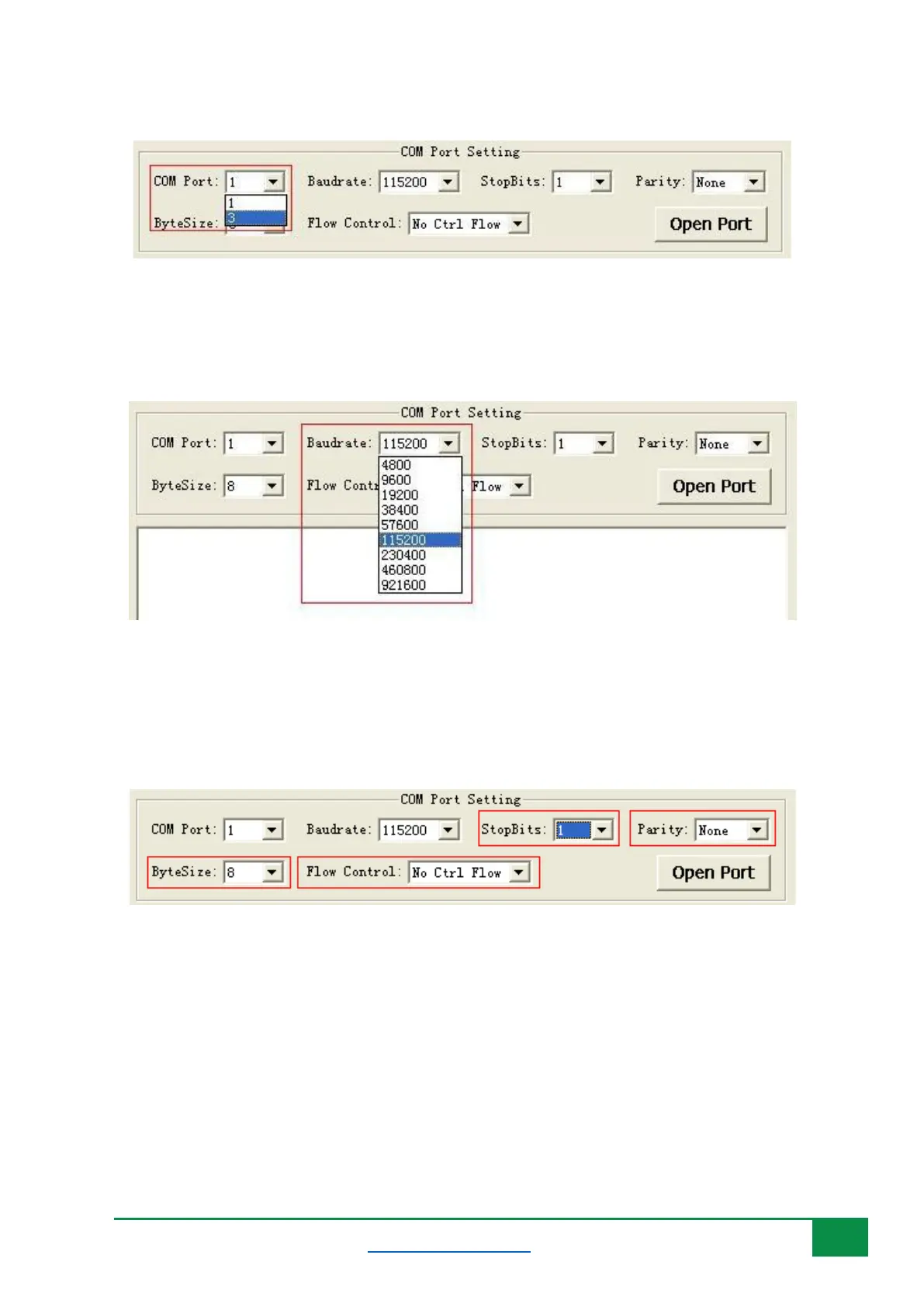
Figure 6: Selecting COM port.
Choose an appropriate baud rate. Please refer to Figure 7.
Figure 7: Selecting Baud rate.
Choose appropriate Stop Bits, Parity, Byte Size, and Flow Control, shown as Figure 8.
Figure 8: Selecting Other parameters for the COM port.
4.2 Open and Close COM Port
Click Open Port to open the selected COM port. Please refer to Figure 9.



 To Next Page