QCOM Tool v1.6 Copyright © 5GHUB.US
4 How to Use the QCOM Tool
The tool is used to send and receive data with serial port. You can use it to send/receive AT
commands, data transmission and reception, or GNSS control and NMEA sentences
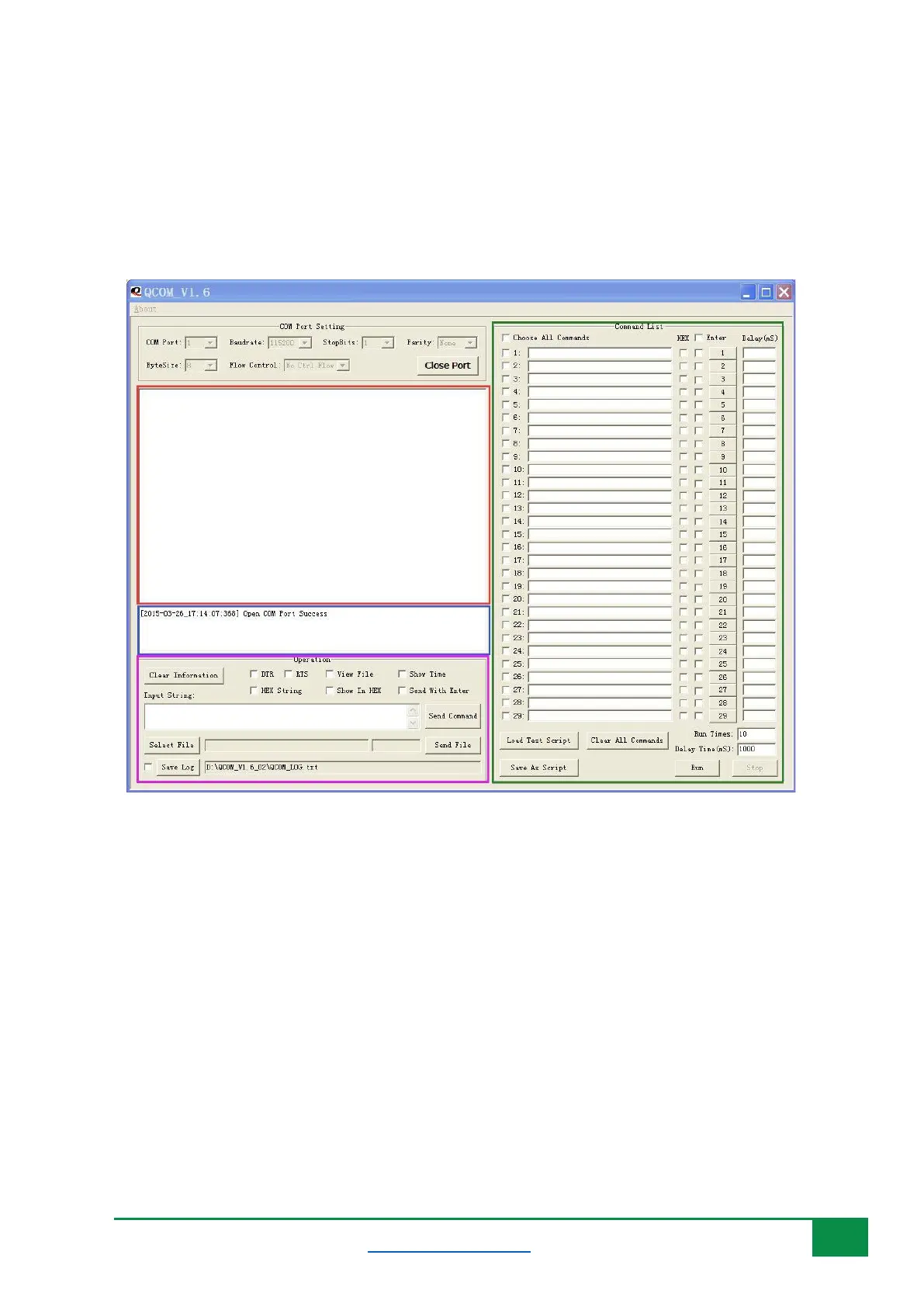
Figure 5 shows the tool when is launched and different controls in the tool.
Figure 5: QCOM tool graphical user interface (GUI).
• Red area displays the received data.
• Blue area displays status information.
• Purple area is used to send data or files.
• Green area is used to send data continuously.
4.1 COM Port Configuration
According to the connection between PC and the hardware board, select the right serial port as shown
Figure 6. Select the COM port number corresponds to either the USB AT Port or USB Modem as
appears in the Windows device manager and as explained in the previous Sections.



 To Next Page