QCOM Tool v1.6 Copyright © 5GHUB.US
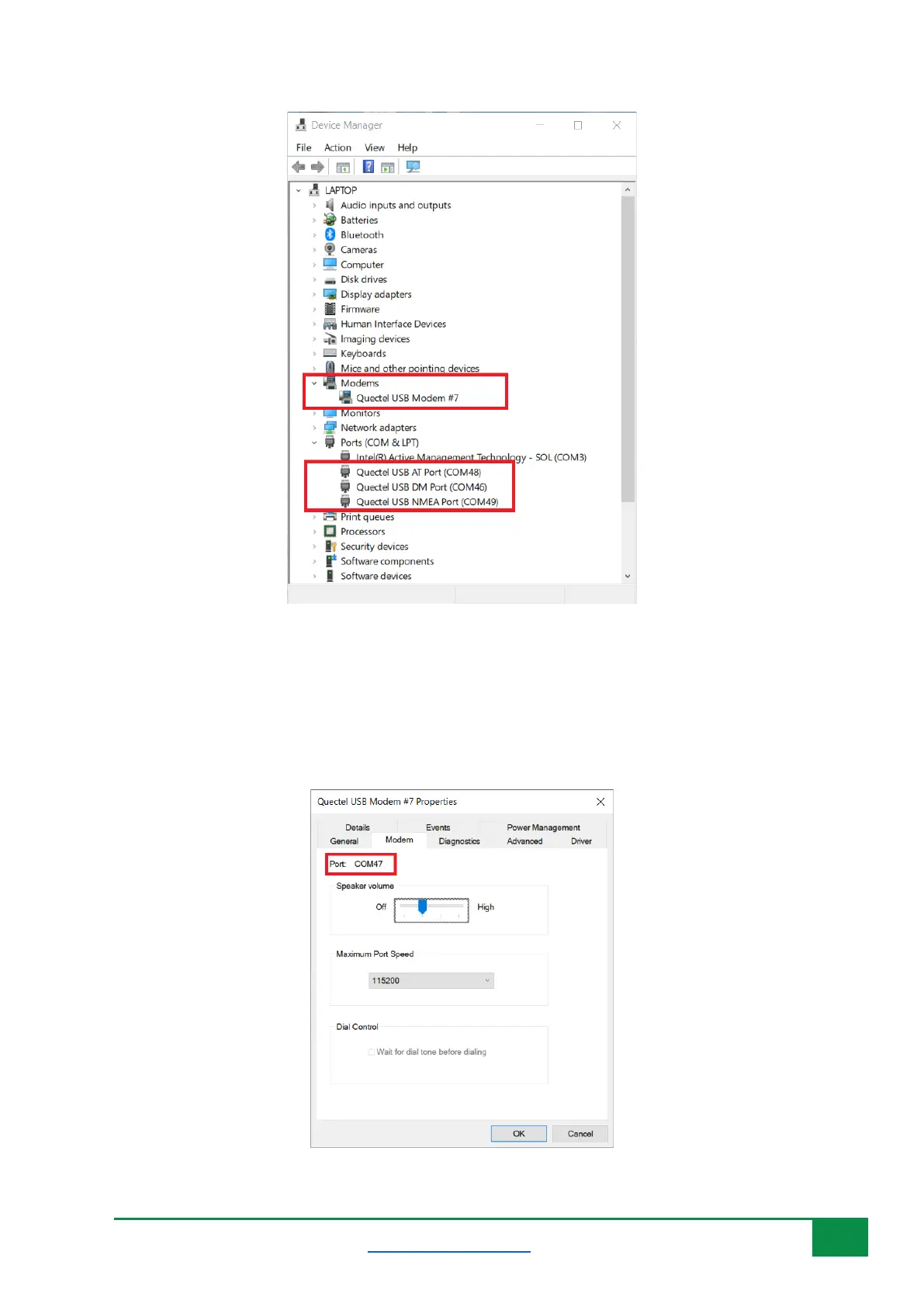
Figure 3: Windows device manager enumerated all serial ports of the modem.
Each serial port, as in Figure 3, shows the serial port number uses as in format COMXX. If the USB
Modem port is used, you can find its COM port number, by right-click on it, select Properties, then
select Modem. You will find the port number displayed for this USB modem. It shows up as COM47
in the figure below. You can use this port number in QCOM tool.
Figure 4: Port number for the USB modem.



 To Next Page