03
5. Routing cable
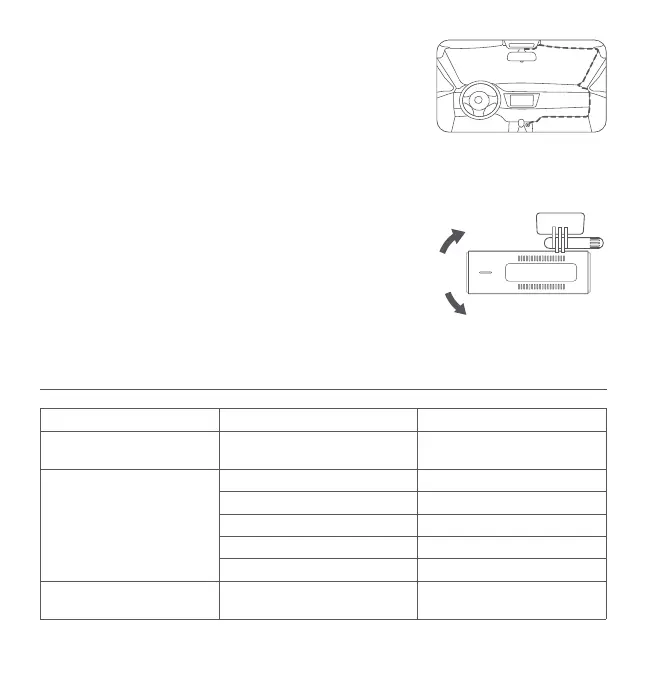
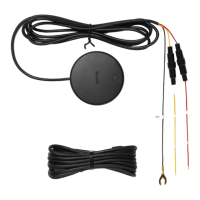
Route the power cord to the vehicle’s power outlet and plug the car charger
into the power outlet. Start the car engine, and the dash cam will automatically
turn on.
Notes:
• Use the included wiring trim tool to hide the power cord underneath the vehicle's
headliner and rubber seal along the A-pillar.
• Depending on the vehicle, the power outlet may be located in a different position. The provided figure is for reference
only.
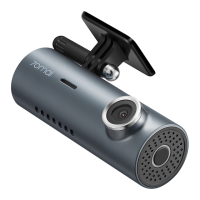
6. Adjusting the camera angle
Bind the dash cam to the 70mai app and enter the dash cam's homepage.
Adjust the camera angle based on the real-time image on the screen.
Button functions
Dash cam status Operation Function
Turned off (Dash cam should
connect with power source)
Press once Turn on the device
Turned on
Press and hold for about 3 seconds Turn off the device
Press once Turn the Wi-Fi on/off
Press 4 times in a row Format the memory card
Press 5 times in a row Reset factory settings
Press and hold for about 15 seconds Force restart the device
Receiving the connection request
from the phone
Press once
Confirm the connection
authorization


 To Next Page