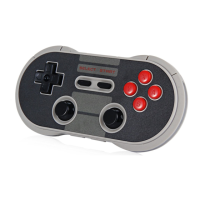
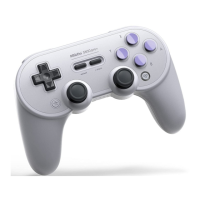
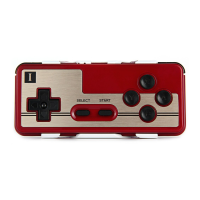
To connect the joystick ZERO to another device:
Delete pairing information of ZERO. Holding the button down for more than 2 seconds. When both LED
lights have flashed once, ZERO can be
connected to other devices.
1. Connect the ZERO GamePad to another device.
2. Change between GamePad Mode, Bluetooth Keyboard or iCade.
3. Request password (to pair), if not “0000”.
Note: Make sure the battery of the ZERO is not empty. Otherwise use the USB-cable to charge the
device.
For two players: iOS/Mac OSX/Android/PC
Player 1 press START + B to START on the ZERO. (LED light will blink twice.)
Player 2 press START + B + R to START on the ZERO.(LED light will blink once, for a longer period of
time.) Both ZERO will provide a different
key code password to work with Bluetooth. The mapping of the k eys can be done in game.
Multiplayer mode(s):
Android/Windows: Connect the ZERO with the USB-cable or Bluetooth. Multiplayer support depends on
the game itself.
GamePad Mode, Bluetooth Keyboard , iCade.
Manual in Detail:
(Note: Make sure the battery of the ZERO is not empty. Otherwise use the USB-cable to charge the
device.)
Establishing Bluetooth connection with Mode 1, 2 or 3 activated:
Follow instructions on page Fast Startup Figure, to turn on the ZERO in mode 1, 2 or 3.
1. Scan for Bluetooth devices on your Android/iOS device.
2. Select “8Bitdo ZERO” in the list of available devices.
3. Map the keys in the app or emulator you will be playing.
Emu-Touch screen mode
Note: Android needs ROOT
1. Download the official 8Bitdo APP/APK from the official site at www.8Bitdo.com.
2. Follow the instructions on page Fast Startup Figure, to turn on the ZERO in mode 4.
3. Run the 8Bitdo app and scan for Bluetooth devices. When detected tap “8Bitdo ZERO” to pair.
4. If asked for pairing code (password), enter “0000”.
5. In Emu-Touch screen mode, press SELECT+START to activate l 8Bitdo app.
6. Finally, drag and drop buttons in order to map the keys to your satisfaction. Press SELECT+START
to finish set-up.
Warning
Android: After using Mode 4 and you wish to use GamePad Mode, Bluetooth Keyboard or iCade, you
will need to clear pairing information at
system Bluetooth first and then scan, pair again.



 To Next Page