7
Setting up your Combo, Head or
Power Amp
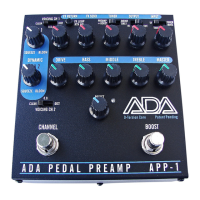
3waystoconnectyourAPP‐1toyourCombo,HeadorPowerAmp
1. Tothepowerampinputorinsert
2. Throughtheeffectsloopreturnjack
3. Throughtheclean(normal)channelinput
Donotusethehigh‐gainchannelinput,itwillruinthedynamicsof
the
APP‐1.
TheAPP‐1bringsmoretoneandversatilitytoyouramp,soifyouplug
itintoyourcomboinputchannel,firstsetthecombochanneltoas
cleanandflatinfrequencyresponseaspossible.Thiswillallowyou
togetyourtonefromtheAPP‐1.
Itisnotrecommendedthatyoudial
inyourAPP‐1distortionandsendittotheheadorcombowhenthey
arealreadydialed‐infordistortion.Youcantrythatlater,ifyou
want,butfornowlet’sgetagoodsetoftonesfromtheAPP‐1.
IfyouplugtheAPP‐1intoacomboamporhead,youmayhavea
choiceofwhichjackyouuseontheamp.Thebestjackistheone
thatbypassesthecombo’spreampsandgoesstraighttothepower
ampsectionofthecomboamp.Thisisusually
locatedonattherear
oftheamp.Ifthatjackisnotavailabletothepoweramp,thecombo
orheadmayhaveaneffectsloopwithareturnjackthatwillwork
alsoasaninsertpointfortheAPP‐1.Finally,youcanconnectthe
8
APP‐1totheinputofyourcombo’snormalornon‐highgainchannel’s
inputjack.Besuretosetthetonecontrolsasflataspossibleand,
mostimportantlyformastergaincombos,setthedrivelevellowand
themasterlevelupsoyourcombowillnotdistort
andcompetewith
theAPP‐1’sdistortion.IntheAdvancedSectionofthisManual,we
willshowyouhowtoustheAPP‐1’sBOOSTtogetcomboamp
distortionindependentoftheAPP‐1’sdistortiontoadda“third
channel”ofamplification.
Manycomboampsandheadsuseatone
stacksthatcanbesetfairly
flat,butwithseeminglystrangesettings.Wehaveprovidedachart
ofEQandtonestacksettingsofsomepopularampsinachartatthe
backofthisManualtohelpyoufindthe“flat”EQsettings.
WhenusingtheAPP‐1for
thefirsttimewithanynewrig,startwithall
theknobssetto9o’clockandalltheswitchessettotheleftposition,
excepttheswitchonthetopright,the3‐positionBY PASSswitch,
whichissettothemiddleposition.ThiswillestablishyourBYPASS
playingvolume,
whichshouldbematchedwiththeAPP‐1whenitis
engaged.


 To Next Page
 Loading...