15
SEC. 2.e
SALE PRICE CHANGE
Sale price setting (for 70 version)
By means of this function it is possible to set the single sale cost
and 2 bonus levels.
For example: it is possible for a photocoping machine to set the
single copy cost to 5 cents, 20 copies cost to 0.77 € (equal to 4
cents per copy) and 50 copies cost 1.55 € (equal to 3 cents per
copy).
The single copy cost can decrease according to the inserted
amount. Entering the function tr
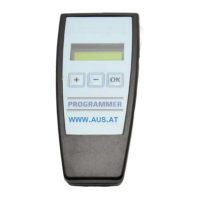
through key “OK”, the single sale cost, is displayed. Through keys
“+” and/or “-“, it can be changed. Push key “OK” to confirm
displayed cost. Automatically the 1
st
bonus level value will appear.
It can be changed by means of key “+” and “-“.
Then push key “OK” to confirm and display the sales number.
If the number is accepted, push key “OK” to confirm.
Otherwise change it through key “+” and “-“. Then confirm
through key “OK”.
At this stage, the second possible bonus level will appear. Operate
as previous 1
st
binus level. In case 1
st
or 2
nd
bonus level is not
enabled, it will appear “OPTION DISABLE”.
SEC. 3.a.
CREDIT PULSE LENGHT
Programming of credit pulse lenght (for 00-20-40 versions)
Enter the function as previously mentioned and push key “OK” to
confirm function acceptance. It shows the time in m/sec of the signal
lenght.
The standard time, set by us, is 100 m/sec. By means of keys “+”
and “-“ it can be increased or decreased by multiple of 10 m/sec and
then confirmed through key “OK”
SEC. 3.b.
CREDIT PULSE LENGHT
Change of credit time lenght (for 60 version)
By means of this function, it is possible to set the credit signal
lenght either in seconds (up to 255 sec) or in minutes (up to 255
min). The counting precision is always of 1 sec.
Enter the function through key “OK”. Then it will show the credit
signal lenght. This number can be changed from 1 to 255 through
keys “+” and “-“. Push key “OK” to confirm and on display will
appear the unity of time used then push key “OK” to confirm and
exit or push +/- to modify it.


 To Next Page