8
Maintenance
Changing the battery
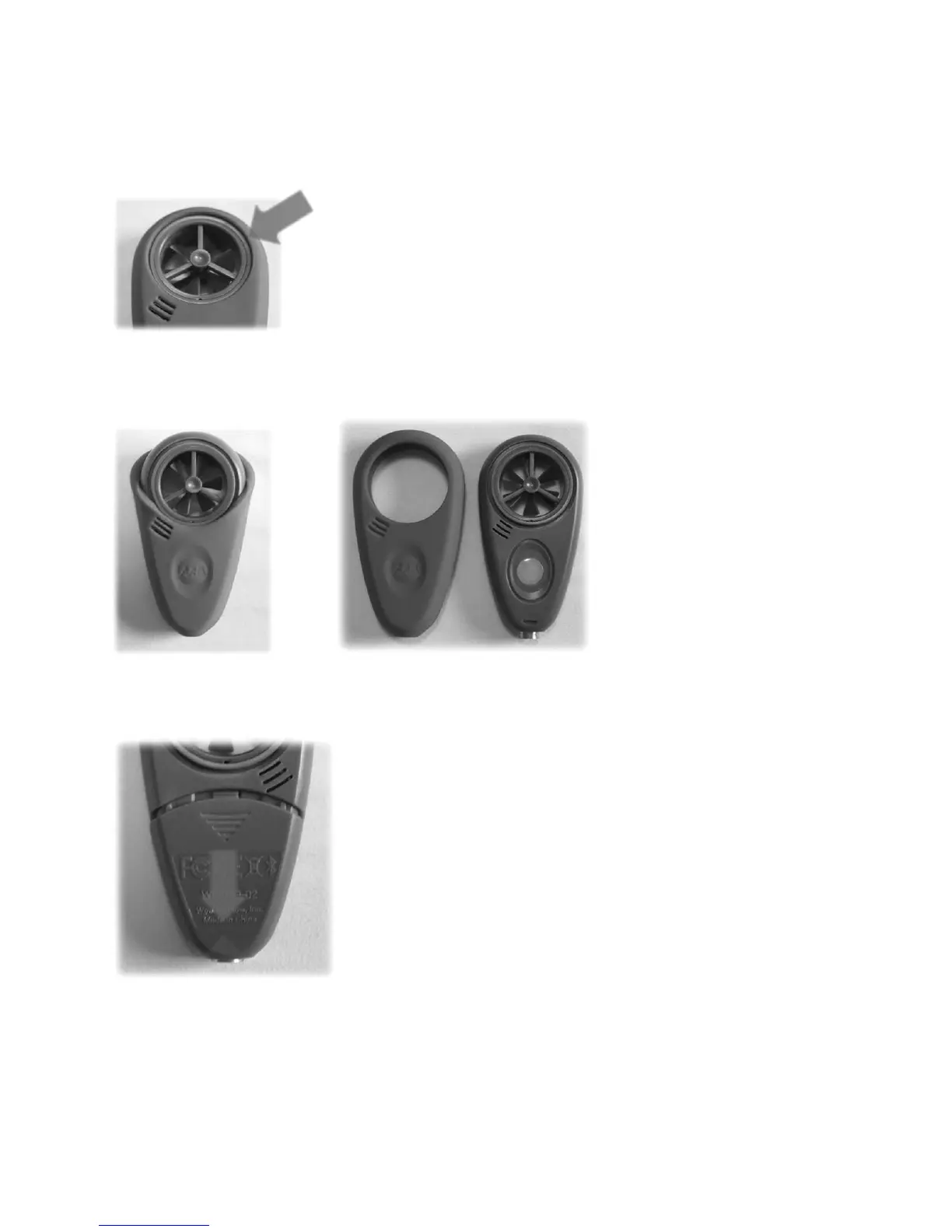
Step one: Pull lip of blue sleeve out of fan groove. This may require the use of a small
flathead screwdriver.
Step two: Remove sleeve by pulling it over the top of the ABM-200 and off of the
bottom.
Step three: On the back side of the ABM-200, remove the battery door by pulling it
downward.
Step four: Replace battery with a CR2450 coin cell. The positive (+) faces away from
the circuit board.
Step Five: Assemble using steps one through three in reverse. When placing the
sleeve on the ABM-200, align AAB logo with white button (as shown in picture X).


 To Next Page