EasyManua.ls Logo

AAB ABM-200 - User Manual

AAB ABM-200
12 pages
Print Icon
To Next Page IconTo Next Page
Loading...
1
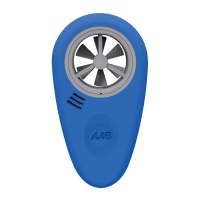
ABM-200
Airflow & Environmental Meter
User Guide

Questions and Answers

  • E
    efinleyJul 27, 2025
    What to do if my AAB ABM-200 shows incorrect temperature/humidity reading?
    • C
      Christian SmithJul 27, 2025
      If your AAB Measuring Instruments displays an incorrect temperature or humidity reading, several factors could be the cause. First, ensure the battery isn't low by replacing it. The meter may need time to adjust to the current conditions, so allow it some time. Also, check for any obstructions blocking the front or rear ports and remove them. Finally, direct sunlight can affect the reading, so move the device out of direct sunlight.
  • A
    Angela VaughanAug 1, 2025
    Why is my ABM-200 AAB Measuring Instruments not found?
    • J
      Joshua McdonaldAug 1, 2025
      If your ABM-200 AAB Measuring Instruments is not found, there are several possible reasons. It could be due to a low or dead battery, so try replacing the battery. Another reason might be that Bluetooth is turned off on your phone, so ensure it is turned on. Finally, the pairing process might not have been performed through the app; in this case, un-pair it in your operating system settings and then pair it through the app.
  • C
    collinsjamesAug 6, 2025
    What to do if my AAB ABM-200 Measuring Instruments gives incorrect air speed reading?
    • S
      Sara BeardAug 6, 2025
      If your AAB Measuring Instruments provides an incorrect air speed reading, consider the following: First, replace the battery to ensure it's not a low battery issue. Second, correct the AK adjust percentage. Third, adjust the fan directly into the airflow, ensuring the meter is perpendicular to the airflow. Fourth, remove any obstructions in front of the meter. Finally, move the meter to the side of any obstruction.
  • M
    Michelle WrightAug 11, 2025
    Why is the temperature/humidity response slow on my AAB ABM-200 Measuring Instruments?
    • N
      Nicole MeltonAug 11, 2025
      A slow temperature or humidity response on your AAB Measuring Instruments could be due to low air flow; try moving the device into an air stream. Alternatively, the ports might be blocked; remove any obstructions from the front and/or rear ports.
  • S
    shieldsyolandaAug 16, 2025
    What to do if the fan popped out of my AAB ABM-200?
    • A
      alvarezsamuelAug 16, 2025
      If the fan has popped out of your AAB Measuring Instruments due to impact to the fan area, align the notch and groove on the circumference and then press it back in.
  • C
    corey07Aug 21, 2025
    What to do if the screw port doesn’t work on my AAB ABM-200?
    • S
      Sarah LewisAug 21, 2025
      If the screw port on your AAB Measuring Instruments isn’t working, make sure that the accessory you are using has a ¼-20 threaded screw, as using the wrong thread size or type could be the cause.

Summary

First Connection Setup

App Installation and Permissions

Download the ABM-200 app and grant necessary permissions for email and location services.

Prepare Device for Use

Remove the white plastic tab/battery insulator by pulling the tab in the direction of the arrow.

Connecting Device and App Operation

Maintenance and Storage

Changing the Battery

Step-by-step guide to replace the CR2450 coin cell battery in the ABM-200.

Troubleshooting Common Issues

Device Not Found

Solutions for when the ABM-200 is not detected by the app.

Air Speed Reading Issues

Troubleshoot incorrect air speed readings due to AK factor or airflow obstruction.

Temperature;Humidity Reading Issues

Address slow response or incorrect readings for temperature and humidity.

Technical Data and Specifications

Range and Accuracy

Specifications for airflow velocity, temperature, humidity, and pressure accuracy.

AAB ABM-200 Specifications

General IconGeneral
BrandAAB
ModelABM-200
CategoryMeasuring Instruments
LanguageEnglish