30 BM series
7.2. Manual Response Adjustment
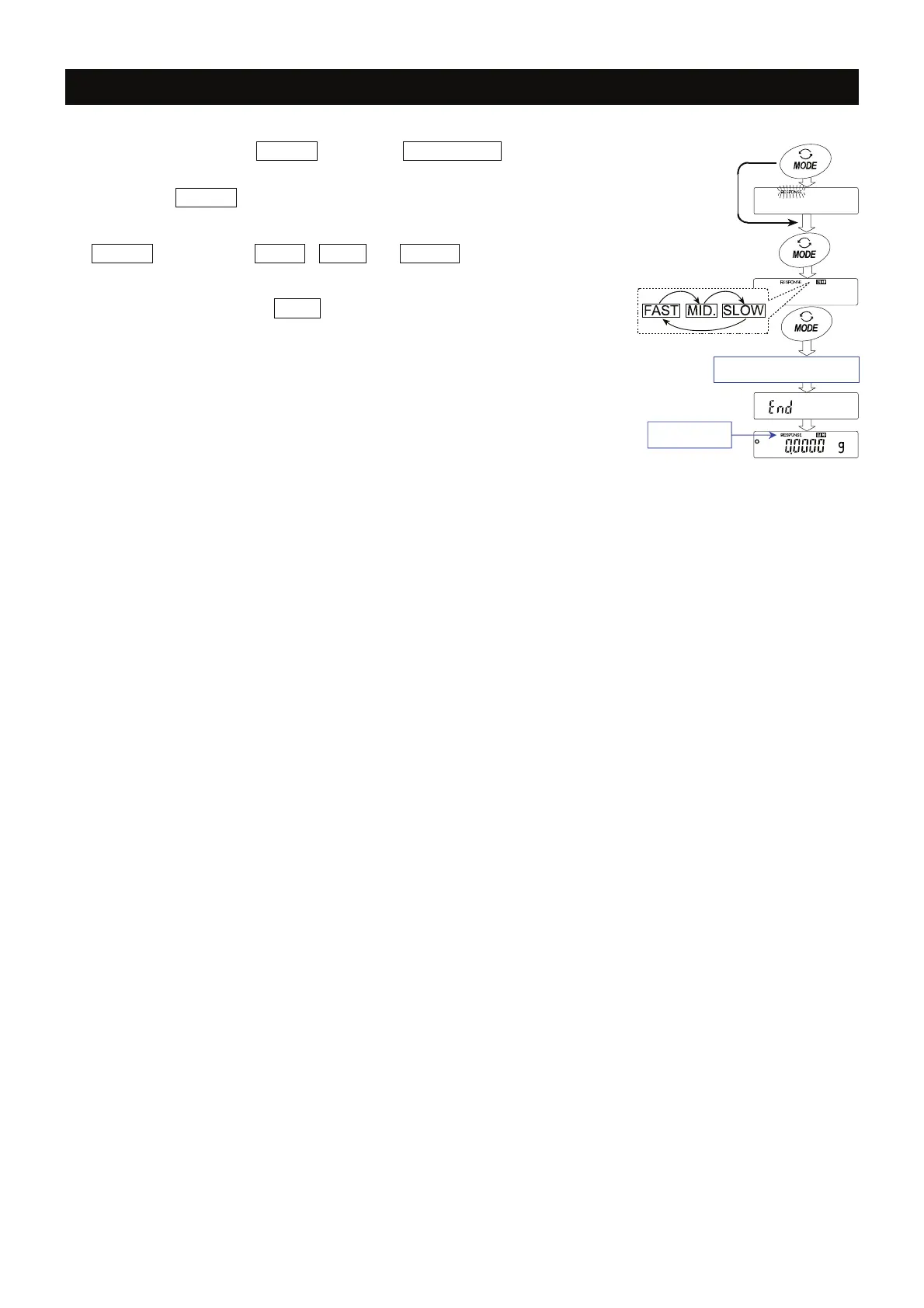
1 Press and hold the MODE key until RESPONSE is
displayed, then release the key.
Press the MODE key again quickly.
2 Select a setting for the response adjustment using the
MODE key. Either FAST , MID. or SLOW can be
selected.
3 The balance displays 1end1, returns to the weighing
mode and displays the updated response indicator for
about thirty seconds.
Advise
If the automatic response adjustment is not helpful,
specify a parameter for "Condition (Cond) " of
"Environment, Display (ba5fnc)" with key operation.
Press and hold
Release and
press again immediately
Select a paramete
Resul
Release and wai



 To Next Page