Need help?
Do you have a question about the A&M XTM XP A4 and is the answer not in the manual?
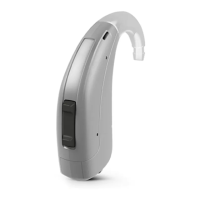
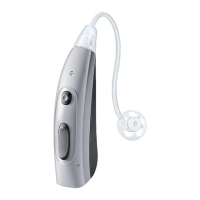
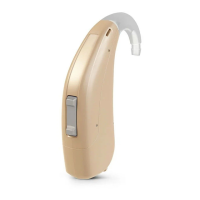
Describes the Behind-The-Ear (BTE) models and their sound delivery mechanism.
Recommends familiarizing yourself with controls and their locations on the instrument for easier use.
Identifies the different parts of the hearing instruments using diagrams and labels.
Provides guidance on recommended battery types and safe handling practices for hearing instruments.
Step-by-step instructions on how to remove and insert batteries into the hearing instrument.
Explains the methods for switching hearing instruments on and off via the battery compartment.
Details how to correctly insert and remove hearing instruments from the ear, noting side markers.
Describes how to adjust the volume manually using the rocker switch and signal tones.
Covers essential daily and long-term care for the hearing instruments, including drying and cleaning.
Instructions on cleaning, exchanging ear pieces, and professional care for tubes and custom ear pieces.
Information on services that can be performed by a Hearing Care Professional for cleaning and maintenance.
Explains the various signal tones used by the hearing instruments and their meanings.
Crucial safety warnings and precautions for users and professionals when handling the hearing instruments.
Defines the meaning of symbols used throughout the user guide to convey important information.
Provides common problems and their possible solutions for users experiencing issues with their hearing instruments.
Contains information tailored to specific countries or regions regarding the hearing instruments.
Details information related to serial numbers, service dates, and warranty terms for the hearing instruments.
 General
| Battery Size | 312 |
|---|---|
| Type | Digital |
| Battery Type | Zinc-Air |
| Water Resistance | IP68 |
| Bluetooth | Yes |
| Compatibility | iOS, Android |


 To Next Page