Integrated Access Controller – Installaon manual
All rights reserved. © AAT HOLDING S.A.
4
Unit installation
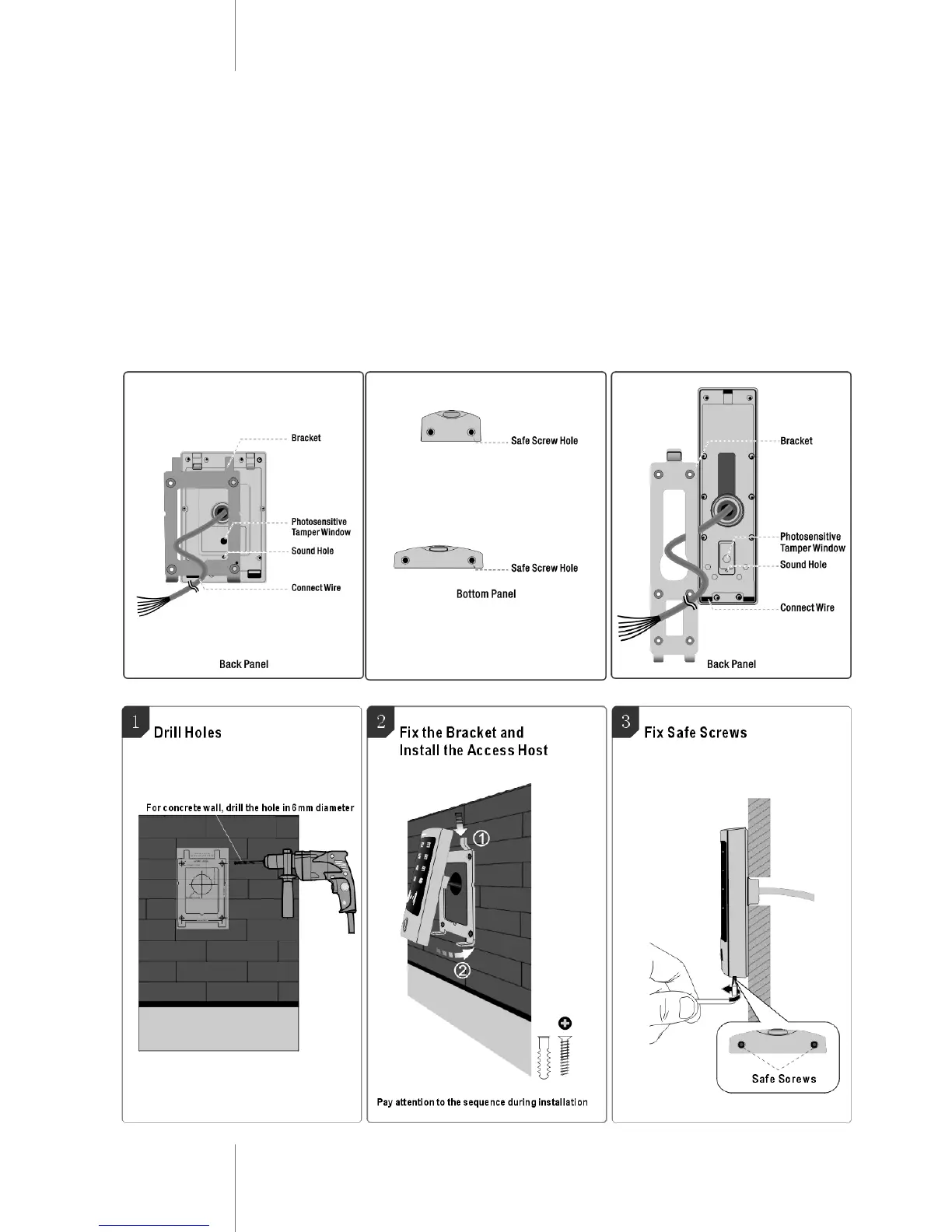
Put the paper sticker (included in box) on the wall in correct horizontal and
vertical position in the place where controller should be locate
Drill 4 holes diameter 6mm(rubber bungs)on the wall for the screws and
1 hole 30 or 22mm for the cable - as written on the sticker (figure 1)
Fix the metal product bracket firmly on the wall with 4 flat head screws
Thread the cable through the cable hole
Attach the unit to the metal bracket (figure 2)
Fix 2 pcs. safe screws at the bottom of the unit using supplied tools (fig. 3)



 To Next Page