7
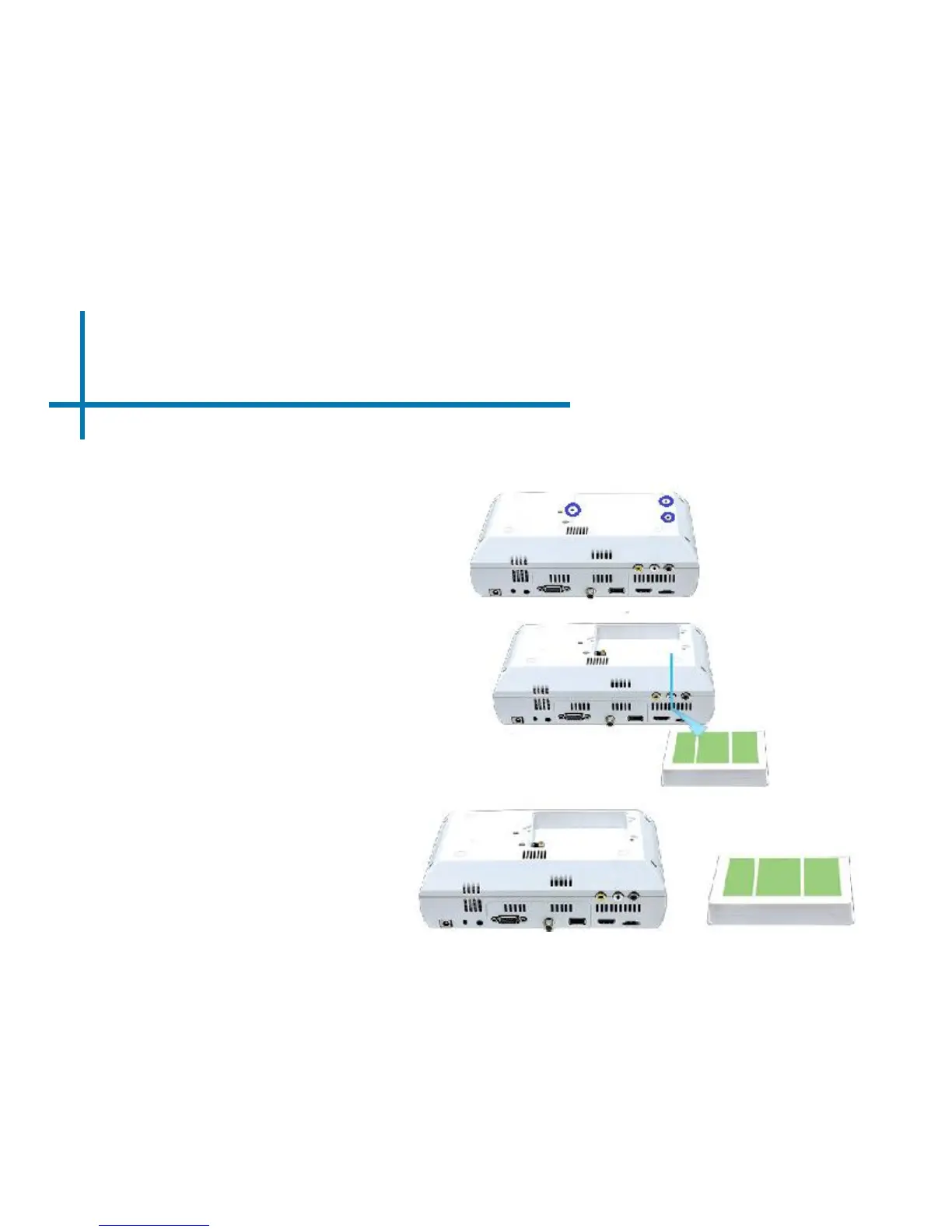
1. Remove the three screws
circled in blue holding the M4
battery compartment.
2. Disconnect the battery harness
to the battery receptacle on the
PCBA
**Please note that the battery pack is pre-installed in the M4. The instructions
below is how to remove the battery unit if replacement is needed.
3. Remove the battery and
replace with new battery unit
using previous instructions
in reverse order.
Battery Pack Installation















 To Next Page