Wi Menu (How to connect to Wi)
13
How To Screen Mirror Smartphone:
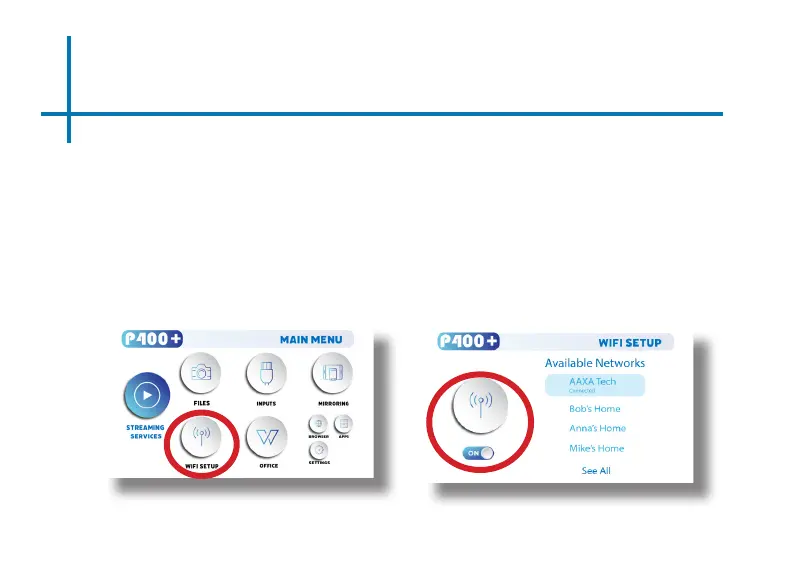
• In the Main Menu, choose the “Wi Setup” icon (Fig 3.4)
• In the Wi Menu, toggle the Wi icon to “On” and select the Wi network you
desire. Enter password and connect. (Fig 3.5)
• If you enter the password incorrectly, select “forget” the available network to
start over.
Fig. 3.4 Fig. 3.5















 To Next Page