FAQ: How to view photos as a slideshowFAQ: How to view photos as a slideshow
How do I play a slideshow?
1. Connect the USB or Micro SD Card to the P400+
2. In the Main Menu, select the “Apps” icon
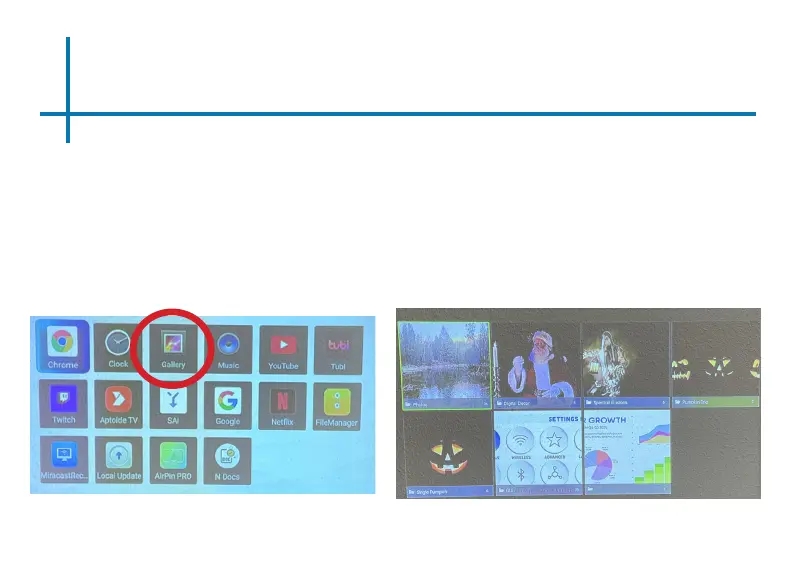
3. In the Apps Menu, select the “Gallery” icon (Fig 3.12)
4. In the Gallery app, your photos and videos will be available to view as
slideshows. Select the les you wish to open.
24
Fig. 3.12
Fig. 3.13















 To Next Page