25
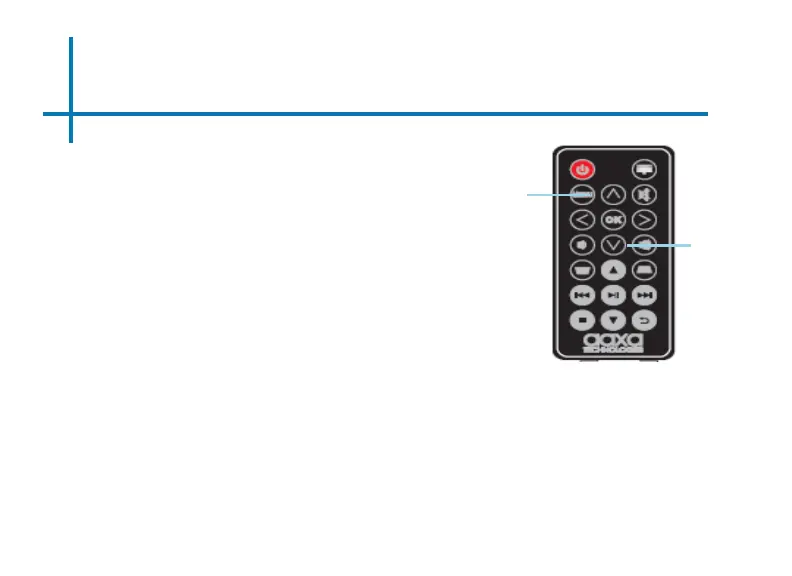
How to zoom in and zoom out an image
• Open the image in the Gallery App
• Use the “up” and “down” button on
the remote control to adjust the size
of the image
• To “zoom in” an image, press the
“down” button on the remote control
• To “zoom out” an image, press the
“up” button on the remote control
FAQ: How to zoom in and zoom out an image
Zoom out
Remote
Zoom in















 To Next Page