Loading External Content Cont.
10
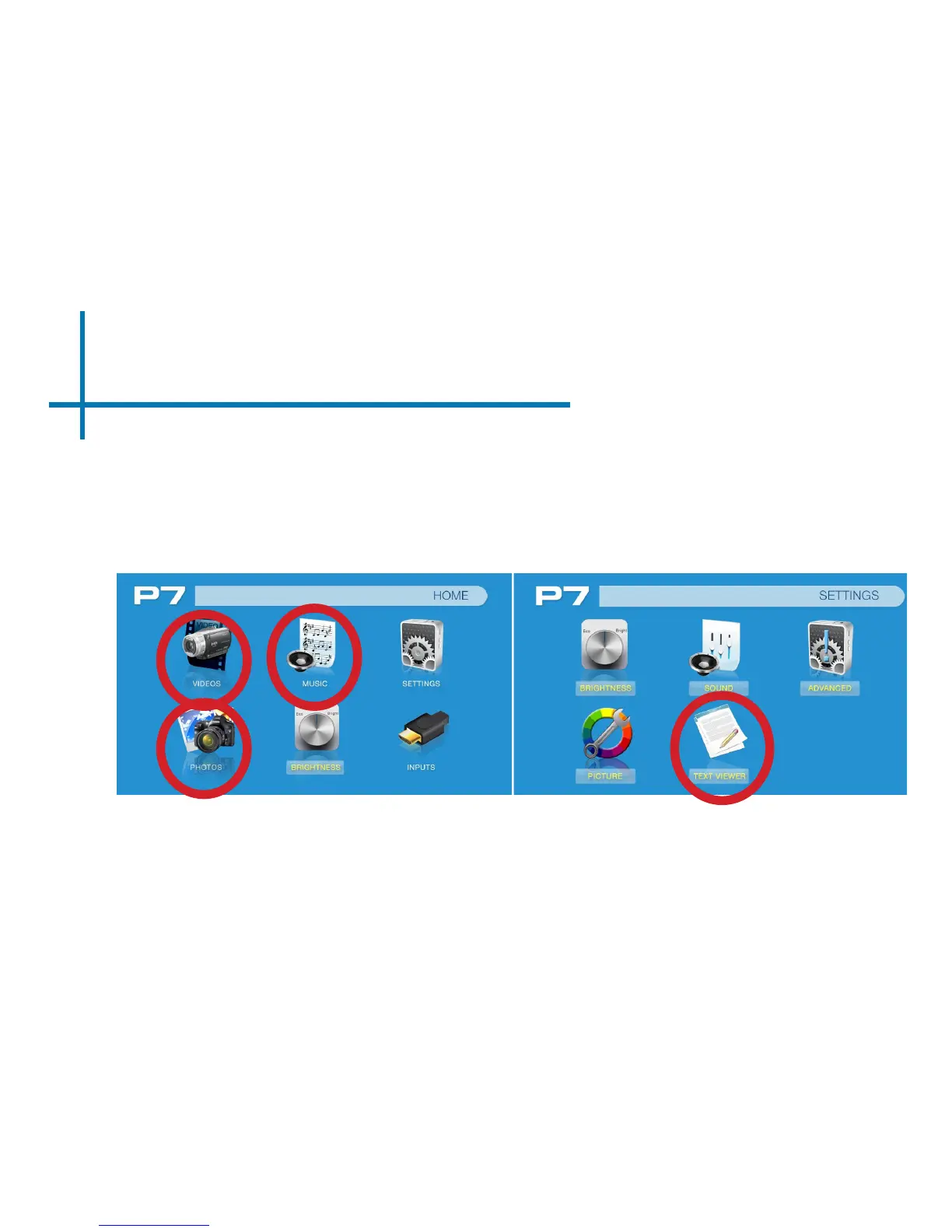
Once your TF Card or USB Drive is inserted into the projector, the TF Card or
USB Drive Storage will be loaded automatically and the content can be found
through the Photos, Videos and Music icons located on the Main Menu, depend-
ing on the le type you wish to play. Loaded content can also be found through
the Text icon, located within the Settings Menu.















 To Next Page