24
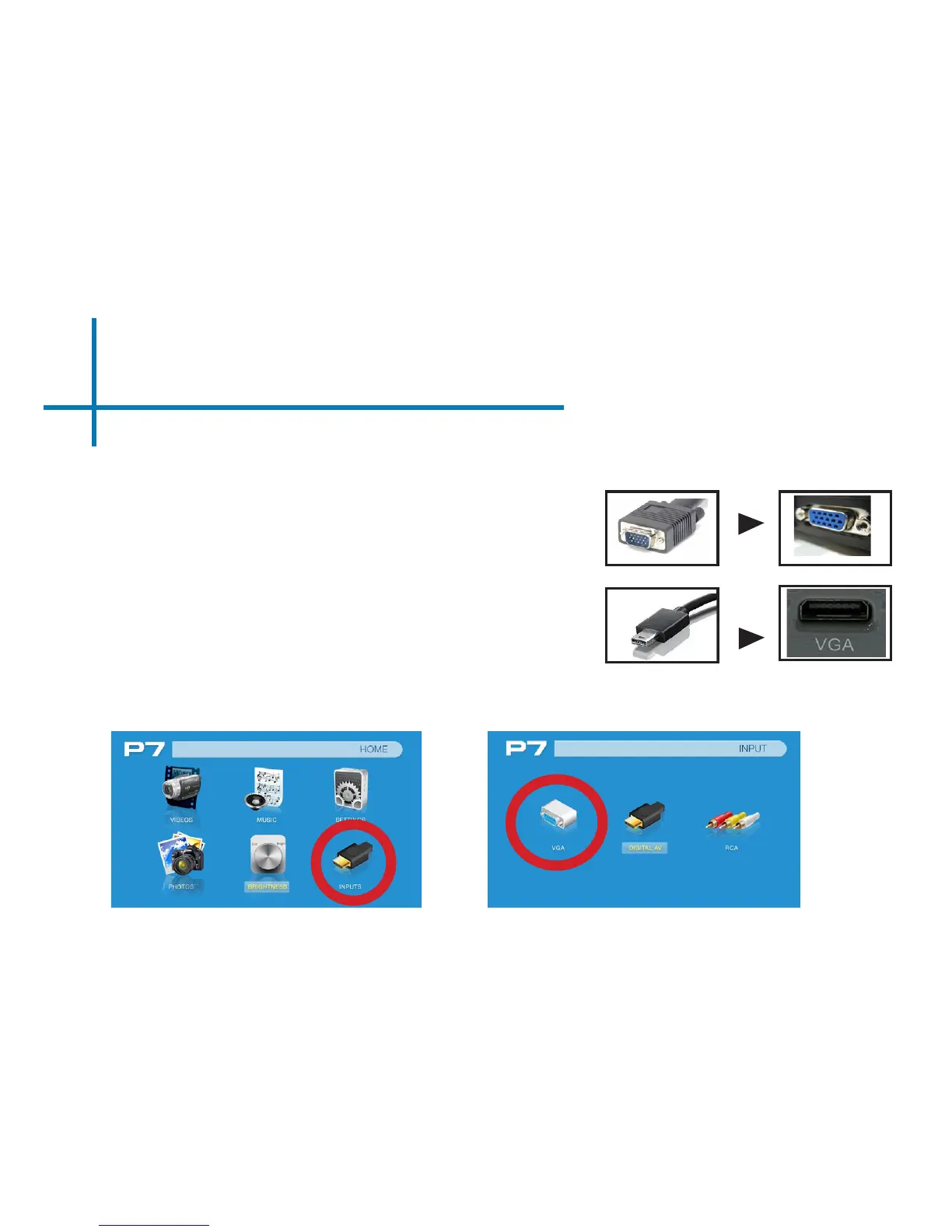
Connecting to a Computer via VGA
Select the “Inputs” Icon Then select the “VGA” Icon
First, a VGA adapter cable is required from your P7 to your computer. This can
be purchased on the AAXA website at www.aaxatech.com
Step 1:
Connect one end of the VGA adapter
cable to your computer’s VGA port.
Step 2:
Connect the other end of the VGA adapter
cable to your P7’s mini-VGA port.
Step 3:
In the Main Menu select the “Inputs” icon and then the VGA icon.















 To Next Page