8
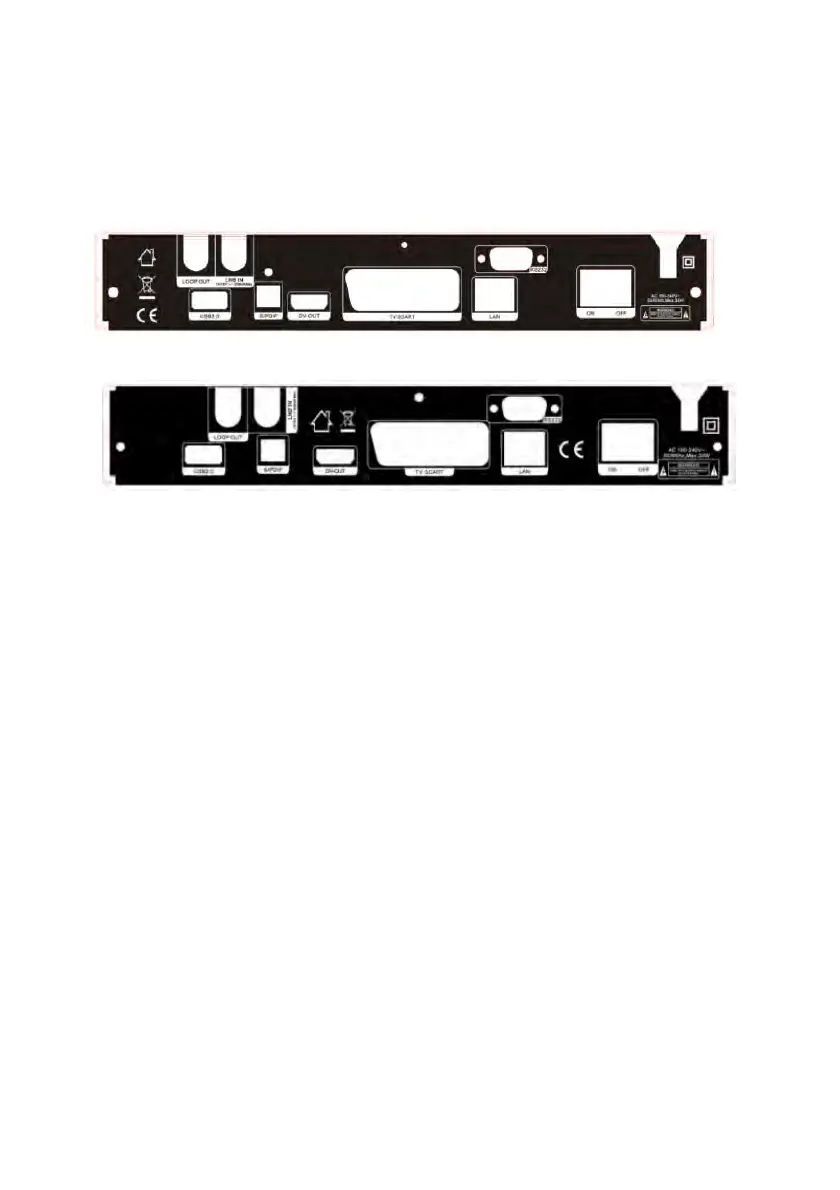
2.2 Rear Panel
600HD
650HD
Figure 3. Rear Panel
1. LAN
Connect to the internet using an Ethernet cable.
2. SPDIF
Digital Audio output (Optical).
3. TV SCART
Connect to the TV using a Scart cable.
4. DV-OUT
Connect to the TV using an HDMI cable.
5. USB2.0
One USB 2.0 Host Port.
6. LOOP OUT
Connect another receiver.
7. LNB IN
Connect the satellite antenna cable.
8. RS232
Connect to the computer using a serial line.
9. ON/OFF
Power on/off.


 To Next Page