
 Need help?
Do you have a question about the ab CryptoBox 600HD and is the answer not in the manual?
Checks operating voltage and power connection for safe use.
Avoids overloading outlets and using damaged cords to prevent electric shock.
Prevents exposure to liquids and objects filled with liquids to avoid damage.
Ensures proper airflow to the unit and avoids blocking vents.
Instructions for safe cleaning of the receiver using appropriate materials.
Disconnecting power before connecting/disconnecting LNB to prevent damage.
Advises on placing the receiver indoors to avoid elements like rain or sunlight.
Warns against opening the unit and advises professional repair for safety.
Lists technical specifications and capabilities of the receiver, including supported standards.
Lists the items included in the product package.
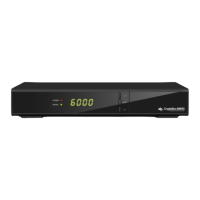
Describes the components and indicators on the front of the receiver.
Details the ports and connectors on the back of the receiver for connectivity.
Explains the functions of each button on the remote control for operation.
Guides on connecting the receiver to a television set using various cables.
Illustrates how to connect the satellite dish antenna, including multi-dish setups.
Steps to turn on the receiver for the first time and initial setup.
Configuration of satellite and transponder settings for optimal signal reception.
Quick channel search procedure based on specific providers and transponders.
How to restore the receiver to its original settings and clear data.
Configuring the receiver for USALS motor control for antenna positioning.
Operations to move, rename, lock, unlock, and swap channels in the list.
Adding and removing channels from favorite groups for quick access.
Sorting channels by various criteria like Alphabet, Transponder, or Favor.
Saving and loading channel data and user settings to external storage.
Configuring general system parameters like menu language, audio, and display.
Adjusting On-Screen Display settings like transparency, mode, and timeout.
Setting up age ratings and locking channels to restrict content access.
Setting time mode, time zone, and summer time for accurate scheduling.
Scheduling recordings or playback for specific programs automatically.
Setting an automatic turn-off time for the receiver to save power.
Information about using a smart card with the receiver for conditional access.
Information about CI modules for Pay-TV subscription cards.
Steps for wired network connection and IP configuration for internet access.
Instructions for connecting to a wireless network via USB dongle.
Updating the receiver software via USB HDD or USB disk.
Updating software over the network for the latest features.
Viewing system information like product name, software, and hardware versions.
Accessing calendar functions and adding memos for daily organization.
Information about available games that can be played on the receiver.
Overview of network applications such as FTP download and weather forecasts.
Reading RSS feeds and managing associated websites.
Checking currency conversion rates for financial information.
Viewing stock market information for financial tracking.
Visiting IPTV sites to access online television content.
Performing file operations like renaming, deleting, copying, and sorting on USB storage.
Uploading data and settings to USB storage or FTP servers.
Playing music, picture, and movie files from connected USB storage devices.
Recording and playback operations for programs, including timeshift.
Creating and managing playlists for media files for sequential playback.
Selecting preferred audio languages for programs when multiple options are available.
Viewing, selecting, hiding, or deleting satellites from the receiver's list.
Viewing Electronic Program Guide information for channel schedules and details.
Selecting subtitle languages for programs that provide them.
Accessing and viewing teletext information pages for broadcast content.
Quickly searching for desired channels using the FIND button or list options.
Displaying general and detailed EPG information of the current program.
Viewing and sorting the main channel list by various criteria.
Managing and accessing custom favorite channel lists.
Starting, stopping, and managing recordings and timeshift functions.
Accessing, playing, and deleting recorded PVR files from storage.
Common issues and solutions for receiver problems, including no picture or network issues.
Detailed technical data of the receiver, including tuner, MPEG, power, and physical specs.
Definitions of technical terms used throughout the user manual.
 General
| Brand | ab |
|---|---|
| Model | CryptoBox 600HD |
| Category | Set-top boxes |
| Language | English |

 To Next Page
