45
10. Channel List
This chapter will help you manipulate the channel list.
Tip: You can press the Sat button to choose different satellite when you are
operating on a channel list, press OK to confirm, then all the channels of this sat will
be display.
10.1 OK List
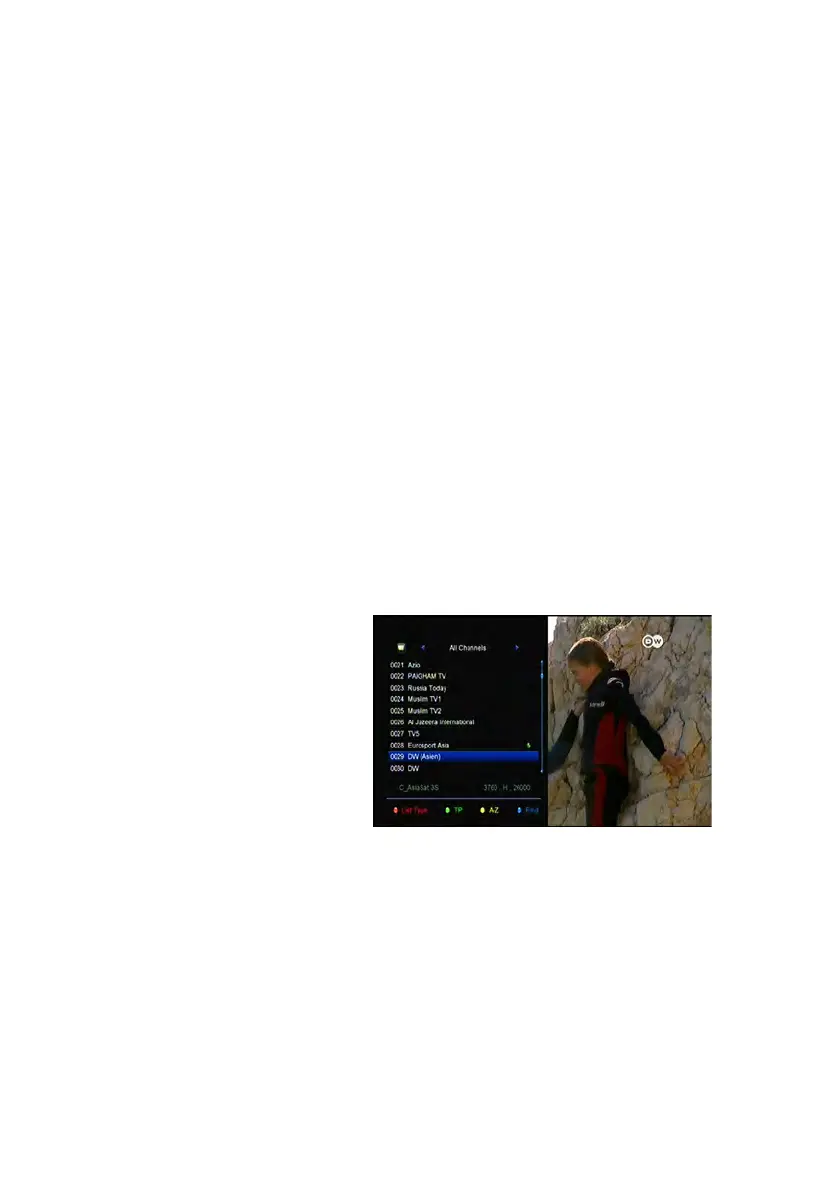
1) Press the OK button to enter the channel list while watching a program.
2) Press the ◄/► button to switch the channel list type. (All Channels/FTA
Channels/Scramble Channels/HD Channels)
3) Press the RED button to sort
the channels. Highlight the
option you want and press the
OK button to sort the channel
list.
Note: The Original Channel
List is back to the channel list
you sort it last time.
4) Press the GREEN button to list the channels by transponder.
5) Press the YELLOW button can help you find the channel quick by the first
character of name.
6) Press the BLUE button to enter the Quick Find menu.
10.2 Favorite List


 To Next Page