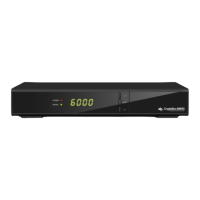
Need help?
Do you have a question about the ab CryptoBox 650HD and is the answer not in the manual?
Lists the key technical features and capabilities of the satellite receiver.
Details the controls and indicators located on the front of the receiver.
Explains the various ports and connectors on the back of the receiver.
Identifies and explains the functions of each button on the remote control.
Illustrates how to connect the satellite receiver to a television set using various cables.
Explains the process of connecting the satellite dish and antenna to the receiver.
Explains how to properly turn on the satellite receiver for the first time.
Guides on configuring the satellite receiver's antenna parameters for optimal signal reception.
Explains how to restore the receiver to its original factory settings, including a warning about data loss.
Details the configuration steps for the USALS motor control system for antenna positioning.
Covers operations like moving, renaming, locking, and swapping channels within the receiver.
Customizes system-wide parameters such as menu language, audio, subtitles, and display options.
Details how to start, stop, and manage recording and timeshift operations using USB storage.
Provides solutions for common issues like no display, no picture, poor quality, and remote control problems.
 General
| Brand | ab |
|---|---|
| Model | CryptoBox 650HD |
| Category | Set-top boxes |
| Language | English |


 To Next Page