26
Recall button of RCU you can get the recall list. If you set OFF, when you press
recall button you can go back to the last program you have selected.
12. Low Power Standby:You can turn Low Power Standby on or off.
13. Standby Time: You can set the Standby Time on or off.
14. Front Panel Light: Set the brightness of the LED.
15. Front Panel Display: Set the LED display channel or clock.
16. Enable X-TimeShift
17. Ch. List Typ
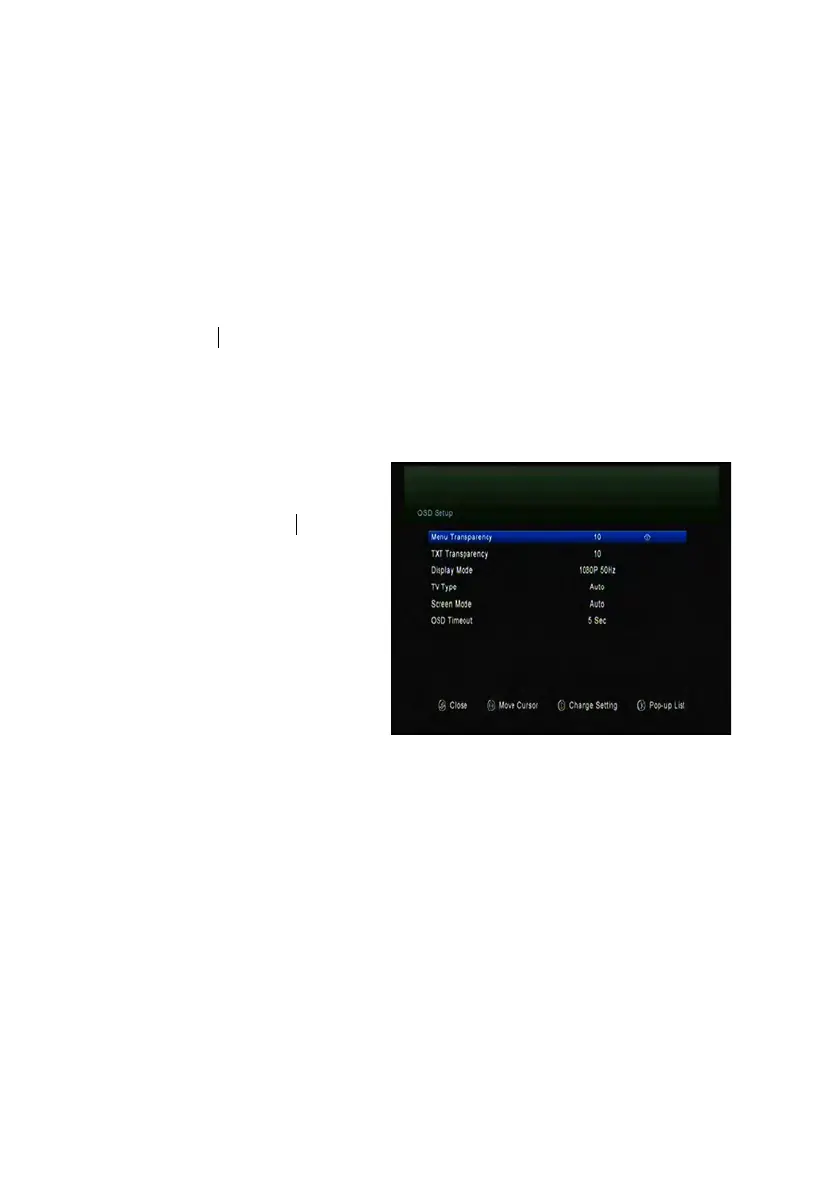
6.2 OSD Setup
Menu->SETTINGS->OSD Setup
1. Menu Transparency: Set the
transparency of all menus.
2. TXT Transparency: Set the
transparency of teletext.
3. Display Mode: Set the HD format
between 1080p, 1080i, 720p, 576i
or 576p.
4. TV Type: Set the TV Type on
PAL/NTSC/Auto state.
5. Screen Mode: Set the display format according to the screen ratio. Select TV
screen mode either 4:3 or 16:9 according to the TV type, or press the MODE button
of RCU directly.
1.6. OSD Timeout: Set the display time of the program information.
6.3 Parental control
Menu-> SETTINGS ->Parental Control
Parental Control allows you to set limits for each program or change your previous



 To Next Page