30
module. Then insert the CI Module to the CI slot.
2.You can read the detail information about the smart card and CI module after it
initialized OK.
3. The Pay-TV which correspond to CI module standard can be decoded.
6.7 Connecting to the LAN
6.7.1 IP Setting
1. Connect one end of the Ethernet cable to the product and the other end to the
LAN router.
2. Menu-> SETTINGS ->IP Setting
If the Ethernet cable is connected fine, it will display “Connect”. In this menu, you can
set IP address manually, also you can get IP address automatically.
RED: Get IP address automatically.
GREEN: Test the network if
connect correctly.
6.7.2 Connecting to the Wi-Fi
(Wireless LAN)
1. Plug in the wireless USB
dongle to the USB port.
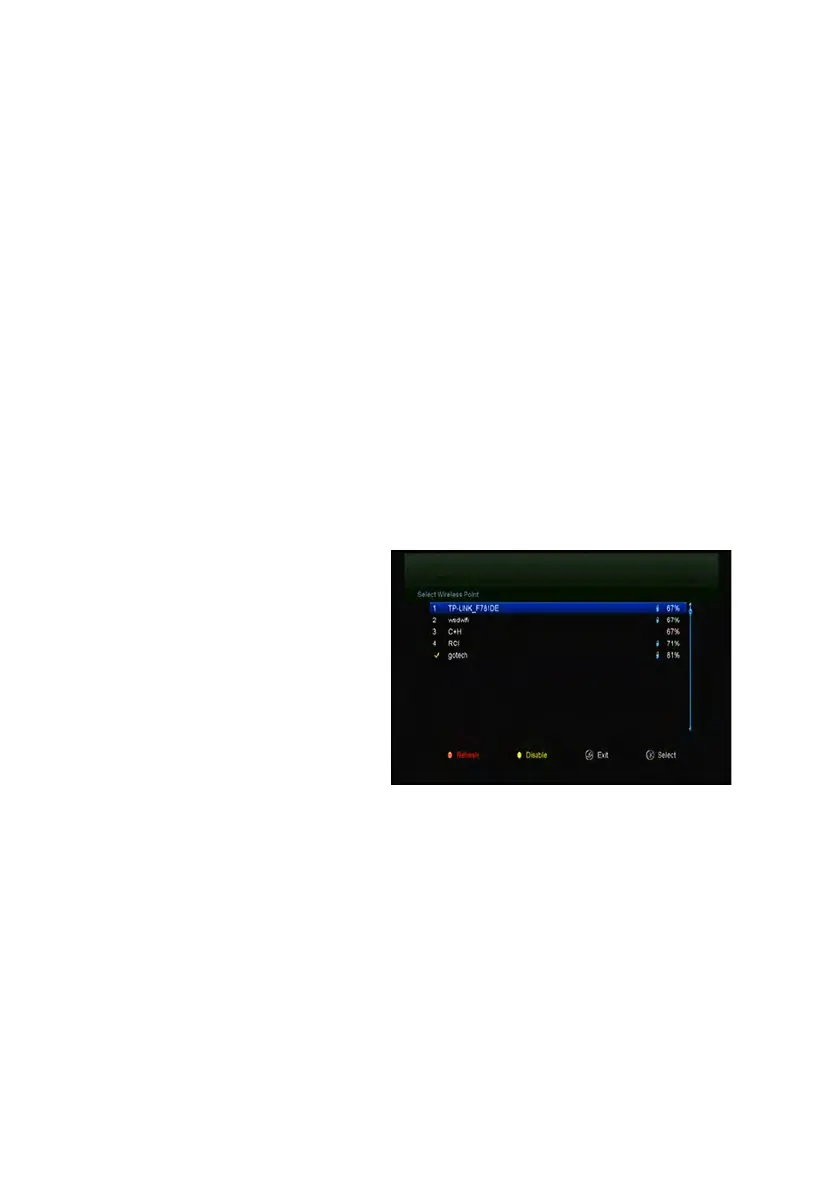
2. Enter
Menu->SETTINGS->Wireless Setting->Search Access Pointer.
3. Select the network name of your Wi-Fi access point from the list.
4. Press the OK button, then input the right password. And you can press
YELLOW button to disable/enable the WI-FI.
5. Enter Menu-> SETTINGS->Wireless Setting->IP Setting.
If the Network is connected, it should get the correct IP address and display the
“Connect”.


 To Next Page