time after purchase.
Note: The default password is 0852/0000.
Main menu: Press the MENU button to enter the main menu.
4. Installation
Press the OK button to enter
into the installation menu.
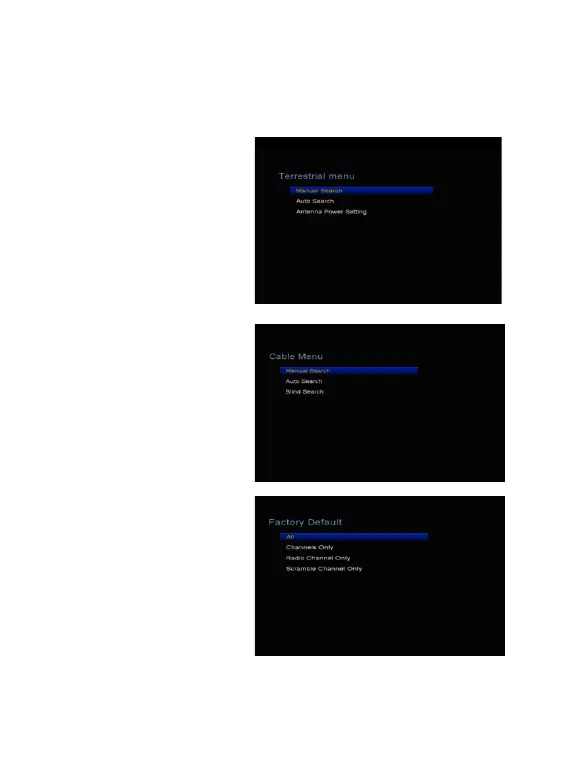
4.1 Terrestrial Menu
1. Manual Search: Highlight
the Mux channel and press the
OK button. Press the Red
button to start search.
Tip: You can select multi mux
to search at the same time.
And you can execute Add, Edit
and Delete functions according
to the help information.
2. Auto search: Search
automatically and save the
found channels.
3. Antenna Power Setting:
You can set AF Power to
off or on.
4.2 Cable Menu
1.Manual Search: Press the
Left/Right button to change the
TP or press OK button to
display transponder list. Press
the Red button to start search.
Tip: You can execute Add, Edit
and Delete functions according to the help information.
2. Auto Search:Search automatically and save the found channels.
3. Blind Search:Search automatically and save the found channels.



 To Next Page