button to confirm.
E: Multi TP Search
1. Highlight the
Satellite
and press the OK button to enter satellite list. And
then
select one satellite you want to search.
2. Complete the antenna setting of this satellite.
3. Highlight the
Start Search
and select
TP Search
then press the OK
button to
confirm.
4. Highlight the transponders in the TP list press the OK to mark them.
5. Press Exit will start searching programs of the transponders you have
marked.
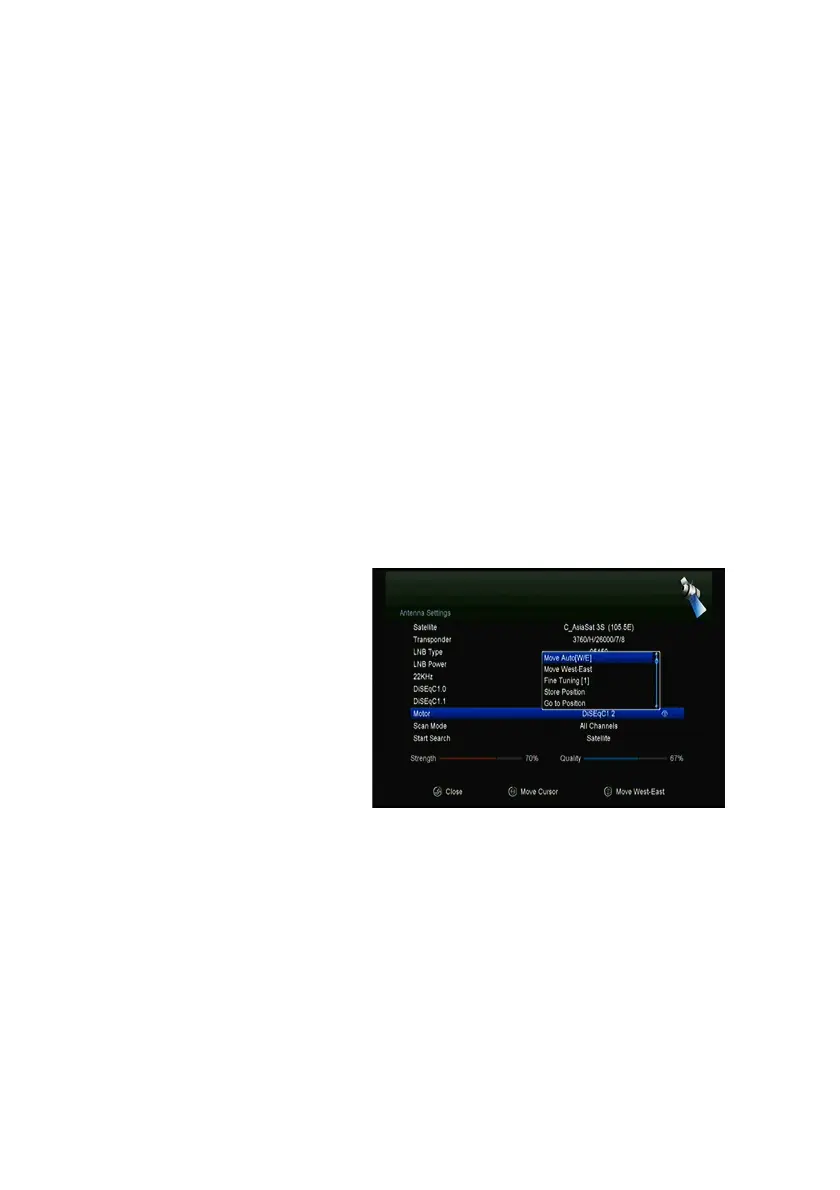
4.2.4 Antenna Settings for Motor
Menu-> INTALLATION ->Antenna Settings->Motor
1. Motor Mode:
Select
DiSEqC 1.2
or
USALS
using the ◄/► button.
DiSEqC 1.2: General motor
antenna using DiSEqC 1.2.
USALS: Motor antenna using
USALS.
ØMove Auto[W/E]
Press ◄/► button, the dish will
be motorized to East/West
continuously, it will stop until it find the best signal.
ØMove west-east
Press ◄/► button, the dish will be motorized to East/West step by step, until
you find the best signal showed on the signal bar.
ØFine Tuning(1)
Input digital button to set the moving step
ØStore Position
Save the current position you searched.



 To Next Page