20
Tip: If you select “yes”, all data and setting will be lost. Then waiting a moment,
you will view the OSD language menu where you can select the language
according your mind.
1) All: All data and settings will be deleted.
2) Channel List Only: All channels data will be deleted.
3) Radio Channel Only: All radio channels data will be deleted.
4) Scramble Channel Only: All scramble channels data will be deleted.
5) TP Channel Only: All the channels data in the selected Transponder will be
deleted.
6) SAT Channel Only: All the channels data in the selected satellite will be
deleted.
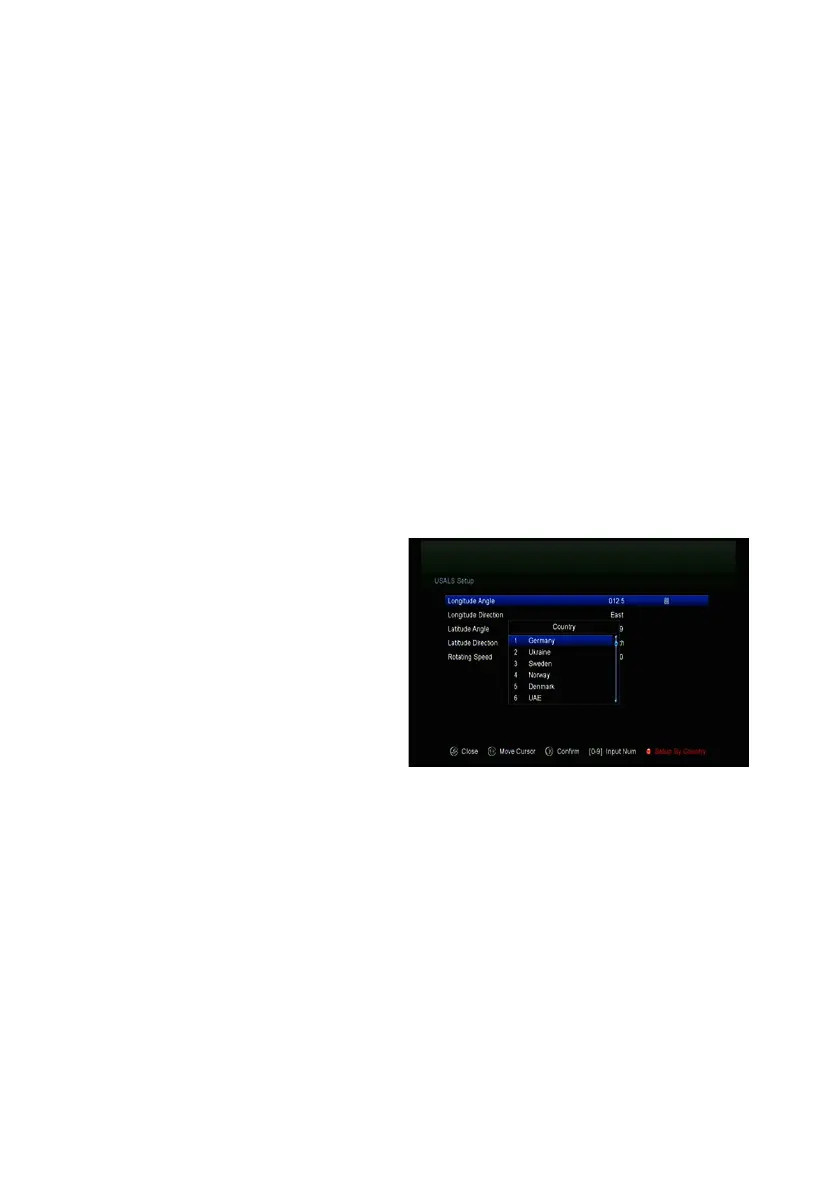
4.5 USALS Setup
Menu-> INSTALLATION ->USALS
Setup
If you set the Motor Mode to USALS,
you need set the longitude and the
latitude in USALS Setup.



 To Next Page