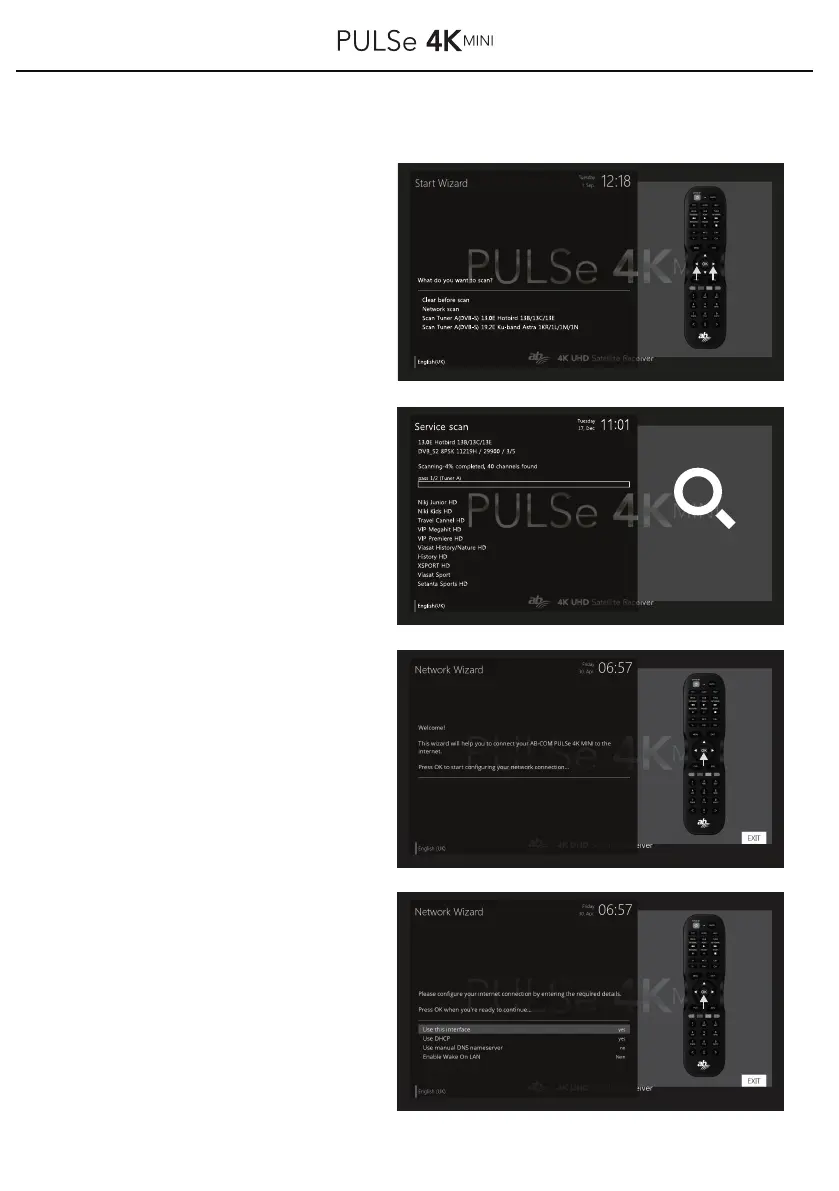
4.1 First installation / Installation wizard
Choose your menu with the buttons
▲ /▼ /◀ / ▶ the settings (Clear
before scan, Network scan, Scan
Tuner A) and confirm your selection
with the button OK on your remote.
The receiver now starts searching
for a station.
Please note that with a search, all
found programs must be sorted
manually later!
After the pre-installed channel list has
been loaded or the channel search has
been completed, you can now connect
the receiver to the Internet.
A prerequisite is a connected LAN cable
to your router or a USB WLAN antenna
(optionally available). To do this, press
OK button for continue.
Connect your router with the receiver
over a LAN network cable and click to
the button OK to your remote control.
The menu items "Use Interface" and
"Use DHCP" should be set to "Yes".
Press button OK on your remote
control to continue.
12
yes
yes
yes
yes



 To Next Page