Calibrating the Analyzer
Calibration is rarely necessary on the HM5, but should be performed when
the controls are running out of range.
• Warm up HM5 Normal Control to room temperature. Do not use other
level controls for calibration.
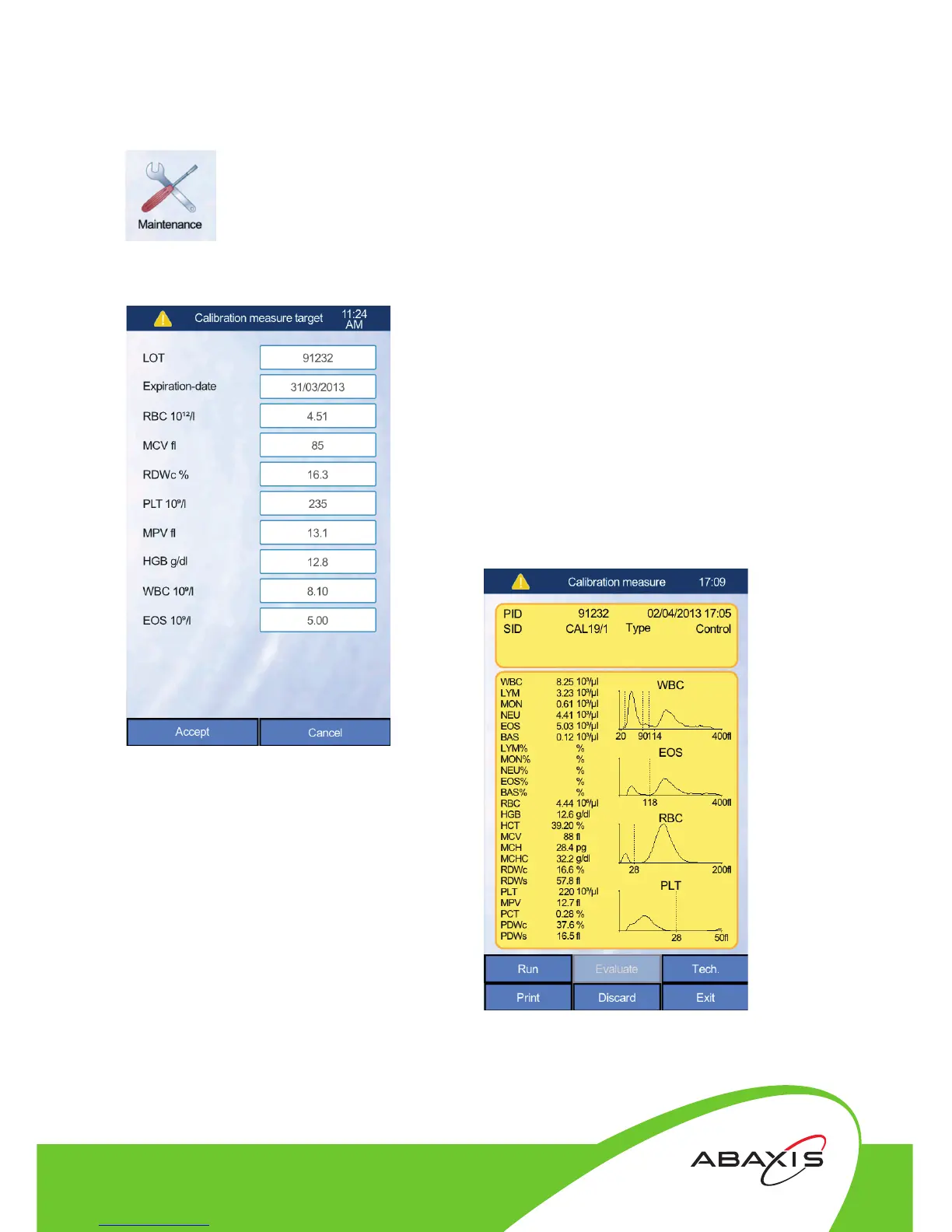
• Touch Maintenance and select Calibration.
• Touch Measure. Set Sampling Depth to default
(--). Press Accept.
• Enter the lot number and assay values from the
calibrator package insert and press Accept.
• Mix the Normal Control well by inverting it ten
times, uncap the vial and place it into the
vial adaptor.
• Touch the Run button. When the results display
the screen will show the run as CAL3/1.
• Mix the control well and repeat step
6 twice more.
• Aer three runs, press the Evaluate
button and the screen will display the
calibration factors. If there are no
errors and the Factors are equal to
or between 0.8 and 1.2, press Accept.
Consult technical support if there are any errors.
Closer to Care.


 To Next Page
 Loading...






