2 General
2.2. What is a FlexPendant?
233HAC 027097-001 Revision: B
© Copyright 2006 ABB. All rights reserved.
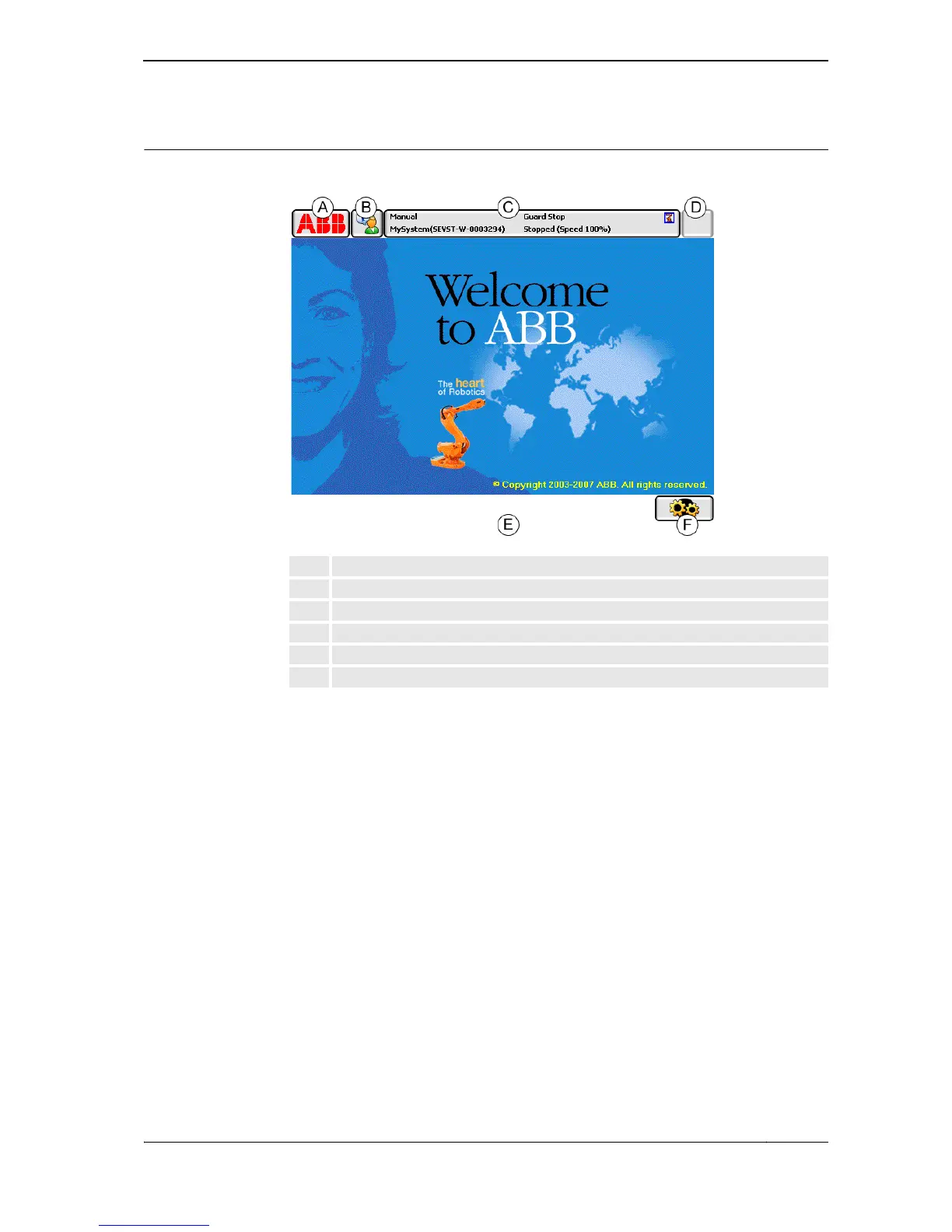
Touch screen elements
The illustration shows important elements of the FlexPendant touch screen.
en0300000588
ABB menu
From the ABB menu the following items can be selected
• HotEdit
• Inputs and Outputs
• Jogging
• Production Window
• Program Editor
• Program Data
• Backup and Restore
• Calibration
• Control Panel
• Event Log
• FlexPendant Explorer
• System Info
• etc.
This is further detailed in section The ABB menu in Operating manual - IRC5 with
FlexPendant.
A ABB menu
B Operator window
C Status bar
D Close button
E Task bar
F Quickset menu
Continued
Continues on next page







 To Next Page