EasyManua.ls Logo

ABB Welcome M2233 Series - User Manual

ABB Welcome M2233 Series
50 pages
Print Icon
To Next Page IconTo Next Page
Loading...
Pos: 2 /DinA4 - Anleitungen Online/Inh alt/KNX/Doo rEntry/83220-AP-xxx/Titelblat t - 832 20-AP-xxx - ABB @ 1 9\mod_1323249806 476_15.docx @ 11 1084 @ @ 1
VER: 1.3 | 02.20.2017
ABB Welcome
®
M2233.-.
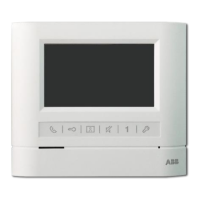
7" Video hands-free
indoor station
=== E nde der Liste für Textmarke C over ===
Question and Answer IconNeed help?

Do you have a question about the ABB Welcome M2233 Series and is the answer not in the manual?

Summary

Product Safety Information

Safety Warning: Electric Voltage

Risk of electric shock from live components, requiring qualified personnel.

Product Operation Overview

Standard Operation Procedures

Covers basic usage and interaction with the device.

ABB Welcome Control Elements Overview

Control Actions Overview

Intercom Features and Calls

Calling the Guard Unit

Switch Actuator Menu and Activation

Voice and Video Connection Setup

Door Opener Activation

Custom Function Configuration

Event and Picture History Management

System Settings Overview

Intercom Settings Management

Switch Actuator Configuration

Program Button Function Assignment

Leave Home Management Settings

Setting the Door Open Password

Auto-Unlock Time Configuration

Setup: Snapshots and Door Status Check

Firmware Update Procedure

Mounting and Installation Overview

Mounting Procedures: Wall and Flush-Mounting

Device Setting and Latching

Summary

Product Safety Information

Safety Warning: Electric Voltage

Risk of electric shock from live components, requiring qualified personnel.

Product Operation Overview

Standard Operation Procedures

Covers basic usage and interaction with the device.

ABB Welcome Control Elements Overview

Control Actions Overview

Intercom Features and Calls

Calling the Guard Unit

Switch Actuator Menu and Activation

Voice and Video Connection Setup

Door Opener Activation

Custom Function Configuration

Event and Picture History Management

System Settings Overview

Intercom Settings Management

Switch Actuator Configuration

Program Button Function Assignment

Leave Home Management Settings

Setting the Door Open Password

Auto-Unlock Time Configuration

Setup: Snapshots and Door Status Check

Firmware Update Procedure

Mounting and Installation Overview

Mounting Procedures: Wall and Flush-Mounting

Device Setting and Latching

ABB Welcome M2233 Series Specifications

General IconGeneral
BrandABB
ModelWelcome M2233 Series
CategoryIntercom System
LanguageEnglish

Related product manuals