EasyManua.ls Logo

ABB Zenith ZTG 30 - User Manual

ABB Zenith ZTG 30
116 pages
Print Icon
To Next Page IconTo Next Page
Loading...
OPERATION, MAINTENANCE, AND INSTALLATION GUIDE
Zenith ZTG series
For ZTG(D) series automatic transfer
switches, 30-1200 A, 200-480 Vac

Table of Contents

Question and Answer IconNeed help?

Do you have a question about the ABB Zenith ZTG 30 and is the answer not in the manual?

Summary

Receiving, handling and storage

Introduction

Hazard Categories

Explains hazard classification symbols used in the manual.

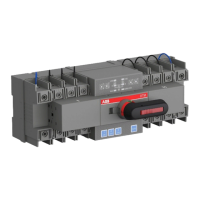
Product overview

HMI

Describes the Human Machine Interface (HMI) for configuration and operation.

Sequence of Operations

Details the automatic switching sequences for different priority scenarios.

General operation

Manual handle operation

Guides on how to operate the switch using the manual handle.

LED functionality in HMI

Explains the meaning of various LEDs on the HMI for status indication.

Navigating HMI menu

Using main menu and setting parameters

Explains how to access menus, set parameters, and navigate using the keypad.

Electronic accessories

Using Ekip Connect -software

Details the Ekip Connect software for communication and testing.

Troubleshooting

Alarms

Lists and explains alarm messages, their faults, and actions.

Technical data

General technical data

Provides general electrical and operational specifications for the ATS.

Maintenance

Routine Inspection

Recommends routine inspections, including checks of terminals, cleanliness, and operation.

Panel installation

Mounting the automatic transfer switch

Details mounting hole dimensions for different ATS models and enclosures.

Mounting of the handle

Explains how to mount the operating handle for manual and automatic modes.

Initial Energizing

Guides on the steps for safely energizing the ATS panel for the first time.

Accessories

Replacement parts

Summary

Receiving, handling and storage

Introduction

Hazard Categories

Explains hazard classification symbols used in the manual.

Product overview

HMI

Describes the Human Machine Interface (HMI) for configuration and operation.

Sequence of Operations

Details the automatic switching sequences for different priority scenarios.

General operation

Manual handle operation

Guides on how to operate the switch using the manual handle.

LED functionality in HMI

Explains the meaning of various LEDs on the HMI for status indication.

Navigating HMI menu

Using main menu and setting parameters

Explains how to access menus, set parameters, and navigate using the keypad.

Electronic accessories

Using Ekip Connect -software

Details the Ekip Connect software for communication and testing.

Troubleshooting

Alarms

Lists and explains alarm messages, their faults, and actions.

Technical data

General technical data

Provides general electrical and operational specifications for the ATS.

Maintenance

Routine Inspection

Recommends routine inspections, including checks of terminals, cleanliness, and operation.

Panel installation

Mounting the automatic transfer switch

Details mounting hole dimensions for different ATS models and enclosures.

Mounting of the handle

Explains how to mount the operating handle for manual and automatic modes.

Initial Energizing

Guides on the steps for safely energizing the ATS panel for the first time.

Accessories

Replacement parts

ABB Zenith ZTG 30 Specifications

General IconGeneral
Product IDZTG 30
Rated Operational Current AC-31 (Ie)30 A
Rated Current30 A
Number of Poles3
Suitable ForIndustrial applications
Electrical Life10, 000 operations at rated current
Operating Temperature-25°C to +55°C

Related product manuals