OVER
Note: For all the steps below, make sure that you have entered the correct date and time.
Steps Do This
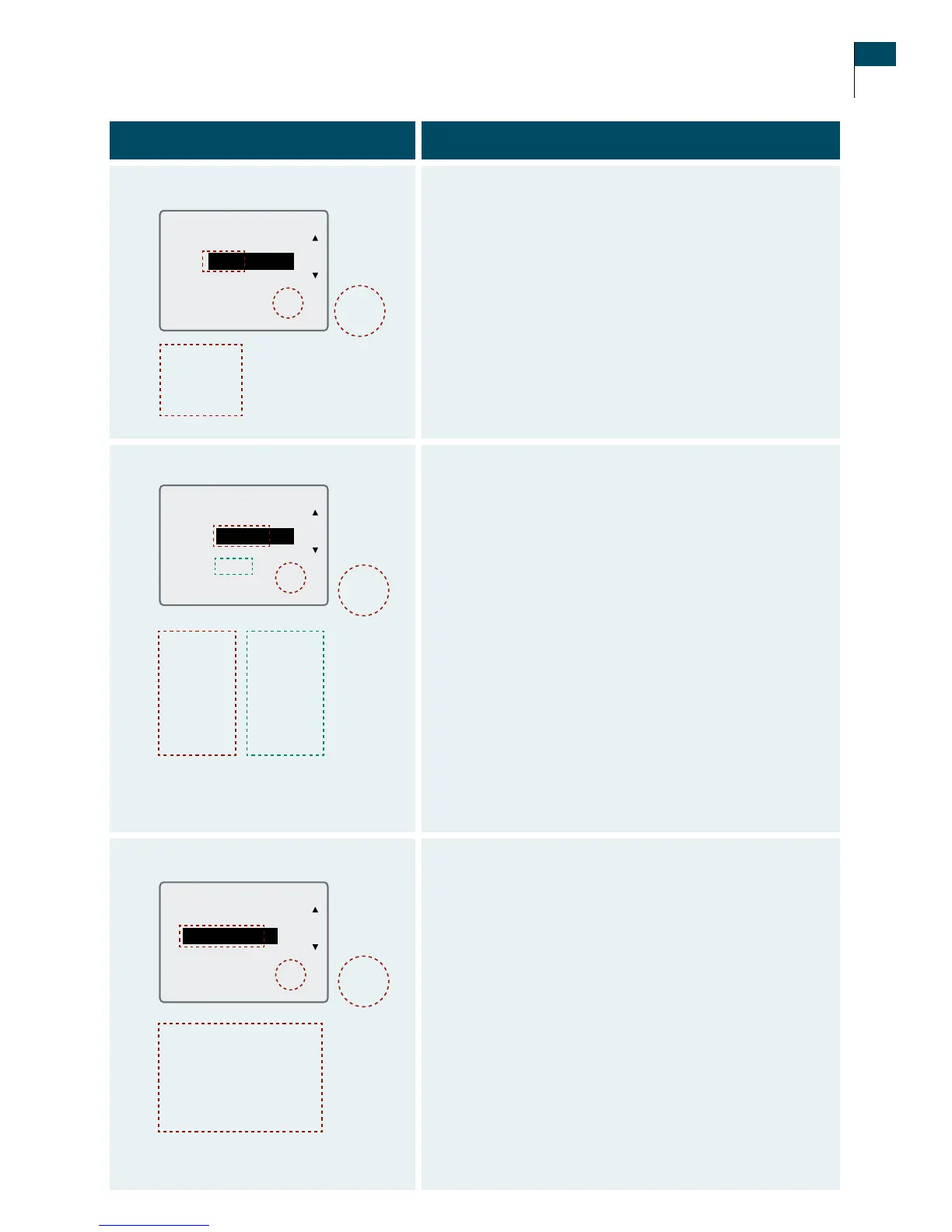
4. Record insulin events.
a. Use the LEFT Option button (Next) to select which
item to enter or change (Type, Units, SAVE/CANCEL,
Date, Time).
b. Use the UP Arrow button or the DOWN Arrow button
to change the selected item.
Note: Your insulin choices are Rapid, Intermediate,
Long Acting, or Pre-mix.
c. When you are done, press the RIGHT Option button
(Set) to save (or cancel) the event.
5. Record exercise events.
a. Use the LEFT Option button (Next) to select which
item to enter or change (Type, Duration, Intensity,
SAVE/CANCEL, Date, Time).
b. Use the UP Arrow button or the DOWN Arrow button
to change the selected item.
Note: Your exercise choices are:
•Type:Aerobics,Walking,Jogging,Running,
Swimming, Biking, Weights, or Other.
•Duration: 0:00 to 2:30 (hrs:minutes) in 15 minute
increments.
•Intensity: None, Low, Medium, or High.
c. When you are done, press the RIGHT Option button
(Set) to save (or cancel) the event.
6. Record state of health events.
a. Use the LEFT Option button (Next) to select which
item to enter or change (State of health, SAVE/
CANCEL, Date, Time).
b. Use the UP Arrow button or the DOWN Arrow button
to change the selected item.
Note: Your state of health choices are Normal, Cold,
Sore roat, Infection, Tired, Stress, Fever, Flu, Allergy,
Period, Dizzy, Alcohol, Low Symptoms, or High
Symptoms.
c. When you are done, press the RIGHT Option button
(Set) to save (or cancel) the event.
Aerobics
Walking
Jogging
Running
Swimming
Biking
Weights
Other
None
Low
Medium
High
Normal
Cold
Sore Throat
Infection
Tired
Stress
Fever
Flu
Allergy
Period
Dizzy
Alcohol
Low Symptoms
High Symptoms
SAVE
CANCEL
SAVE
CANCEL
SAVE
CANCEL
Rapid
Pre-Mix
Intermediate
Long Acting
Section 11 113
Add Events















 To Next Page