OVER
Steps Do This
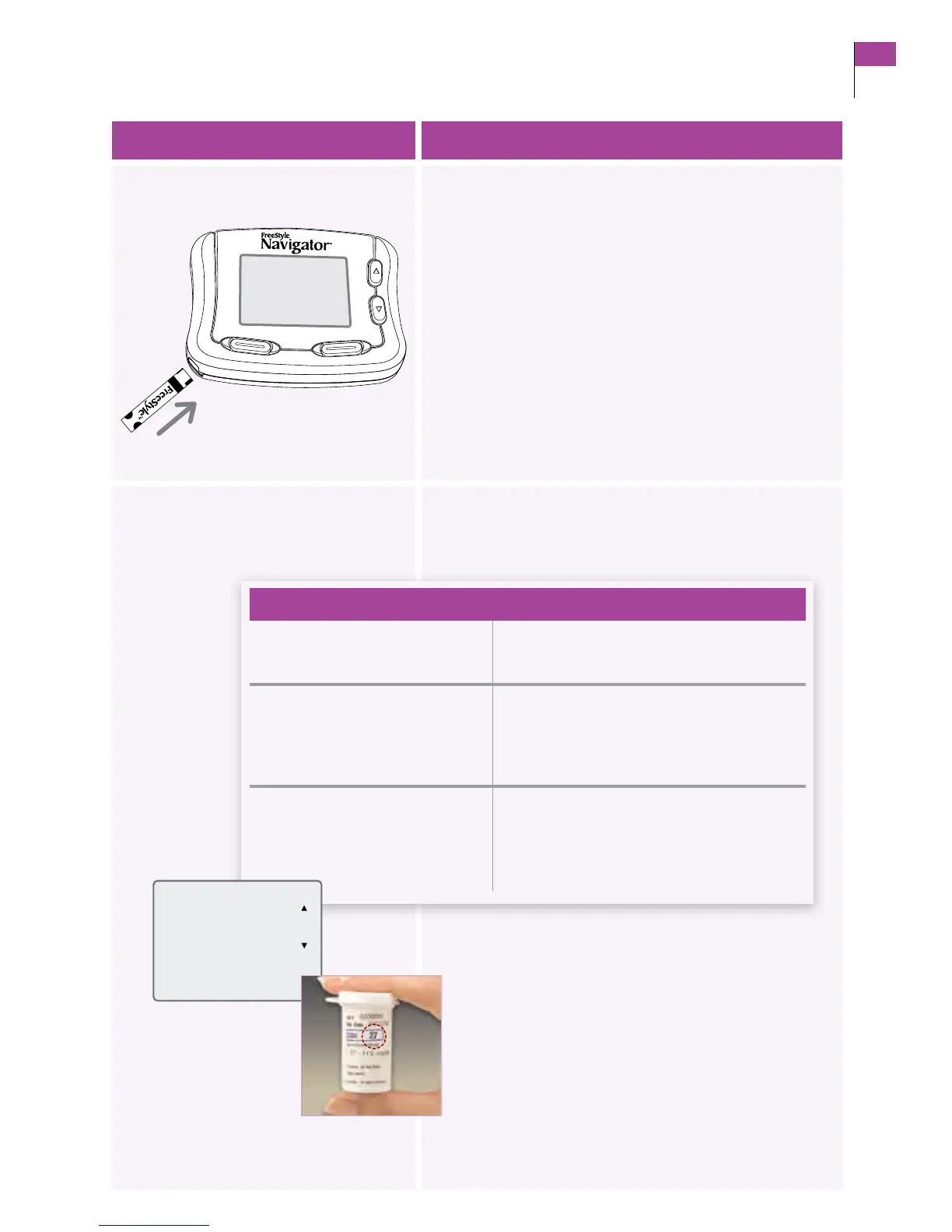
3. Insert test strip into the receiver.
a. Tu rn the test strip so “FreeStyle” text faces up.
b. Grasp the test strip by the end with the two half circles.
c. Insert the end with the dark rectangle into the receiver
at the lower le corner of the receiver.
Result: e receiver display screen turns on and displays
the Strip Code screen.
Note: If the screen does not turn on, refer to Section 10
on troubleshooting.
4. Compare code numbers.
Compare the code number on the display with the code
number on the vial of test strips.
•enumbersmatch. a. Press the RIGHT Option button (Set).
b. Go to Step 5.
•enumbersdoNOT match. a. Use the UP/DOWN Arrow buttons to
change the code to match.
b. Press the RIGHT Option button (Set).
c. Go to Step 5.
•escreenchangestotheApply
Sample screen.
If the numbers did NOT match:
a. Press the LEFT Option button (Back).
b. Repeat Step 4.
If the numbers match, go to Step 5.
If en
Section 4 29
Perform a Control Solution Test















 To Next Page