GREEN GREEN GREEN GREEN
GREEN GREEN GREEN GREEN
GREEN GREEN GREEN GREEN GREEN
GREEN GREEN GREEN GREEN GREEN
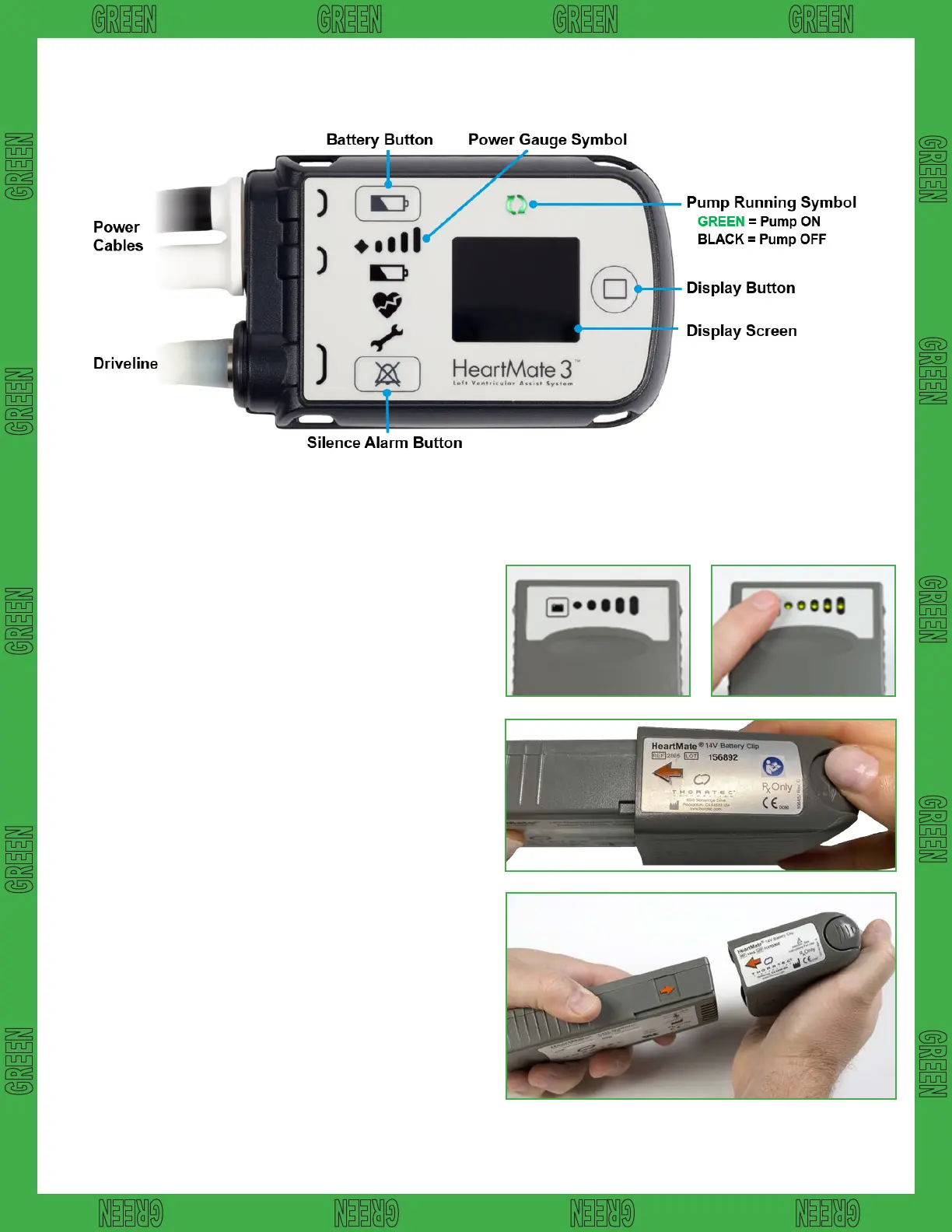
HeartMate 3™ Left Ventricular Assist System
l Obtain two charged batteries from patient’s
accessory bag or battery charger. The charge level
of each battery can be assessed by pressing the
button on the battery. Fully charged batteries will
display 5 lights. (Figures 1 and 2)
l Check the power level on the batteries, replace
the battery with the fewest lights rst. Remove only
ONE battery from the clip by pressing the release
button on the clip to unlock the battery. (Figure 3)
l Controller will start beeping and flashing yellow
symbols and will read CONNECT POWER on the
front screen.
l Insert a new, fully charged battery into the empty
battery clip by aligning the RED arrows on the
battery and clip (Figure 4). The battery will click into
the clip. Gently tug on battery to ensure connection.
If the battery is properly secured, the beeping and
yellow flashing will stop.
l Repeat previous steps with the second battery and
battery clip.
System Controller
Changing Batteries
WARNING:Atleastonecontrollerpowercablemustbeconnectedtoapowersource
AT ALL TIMES. Do not remove both batteries at the same time or the pump will stop.
Thisguidedoesnotsupersedemanufacturerinstructions.
Figure 3
Figure 4
Figure 2Figure 1
10














 To Next Page