GREEN GREEN GREEN GREEN
GREEN GREEN GREEN GREEN
GREEN GREEN GREEN GREEN GREEN
GREEN GREEN GREEN GREEN GREEN
Troubleshooting HeartMate 3™ LVAS
l
Contact the Implant Center for direction
when possible.
l
Check alarm messages on controller
display screen.
l Check if pump is running:
l Allow care providers trained on LVAD
emergencies to remain with the patient.
WhenthePumpHasStopped
l Check modular cable connection,
driveline and power cable connections
to the controller. Fix any loose connections to restart the pump.
l If the pump does not restart and the patient is connected to batteries replace the current batteries
with a new, fully-charged pair. (see Changing Batteries section on previous page)
l If pump does not restart, change controllers if directed by implant center. (see Changing
Controllers on next page)
l
Be sure to bring ALL of the patient’s equipment with them.
Alarms:EmergencyProcedures
Whenanalarmoccurs:
Ensure that a power source is connected to the
controller. Evaluate the patient for low flow - treat the
cause. Assess volume status, hypertension, arrhythmia,
right heart failure, etc.
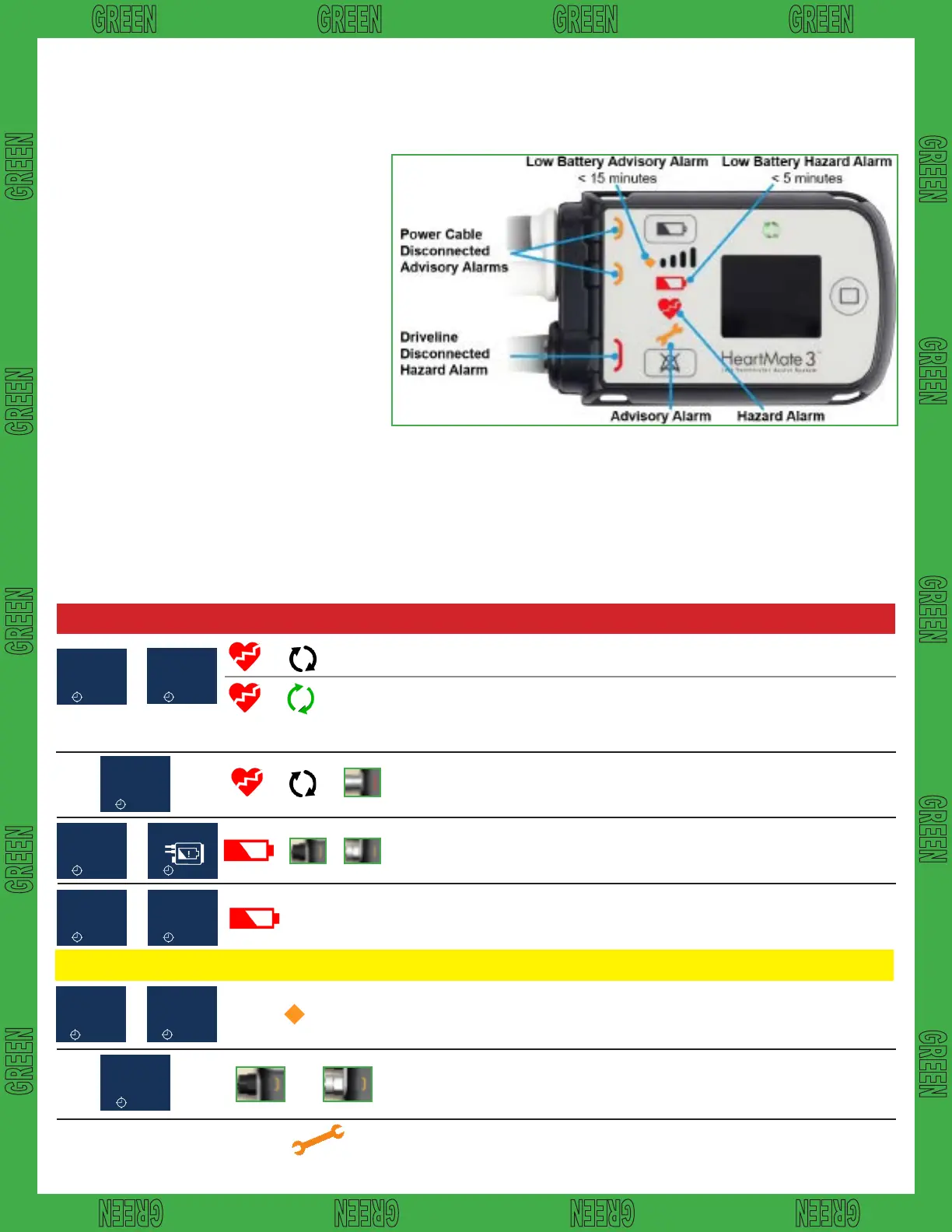
HAZARDALARMS
Continuous Audible Tone
Low Flow
:03
+
+
+
Call Hospital
Contact
:07
Connect
Driveline
:02
Connect
Power
Immediately
:05
+
Backup Battery
:01
Connect
Power
:04
Low
Battery
:06
+
Replace
Power
:02
Low
Battery
:06
+
Replace
Power
Immediately
:02
+ +
Low Battery
Power < 5 min.
remaining.
ADVISORY ALARMS
Intermittent Audible Tone
Both power
cables are
disconnected.
Driveline
disconnected.
Pump flow is
< 2.5 lpm.
Pump is off.
See above, when pump has stopped
Immediately replace batteries or switch to the Mobile
Power Unit.
Immediately connect to batteries or the Mobile
Power Unit.
Immediately reconnect Driveline to the controller.
Check modular cable connection.
+ +
A power cable
is disconnected.
Low Battery
Power <15 min.
remaining.
Reconnect the power cable to power.
Immediately replace batteries or switch to the Mobile
Power Unit.
Call VAD Coordinator at implant center for direction.
Check display for alarm type.
OR
Thisguidedoesnotsupersedemanufacturerinstructions.11














 To Next Page