GREEN GREEN GREEN GREEN GREEN
GREEN GREEN GREEN GREEN
GREEN GREEN GREEN GREEN
GREEN GREEN GREEN GREEN GREEN
ChangingtheSystemController
Step 1: Have the patient sit or lie down since the pump will
momentarily stop during this procedure.
Step 2: Place the replacement Controller within easy
reach,along with the batteries/battery clips. The
spare Controller is usually found in the patient’s
travel case.
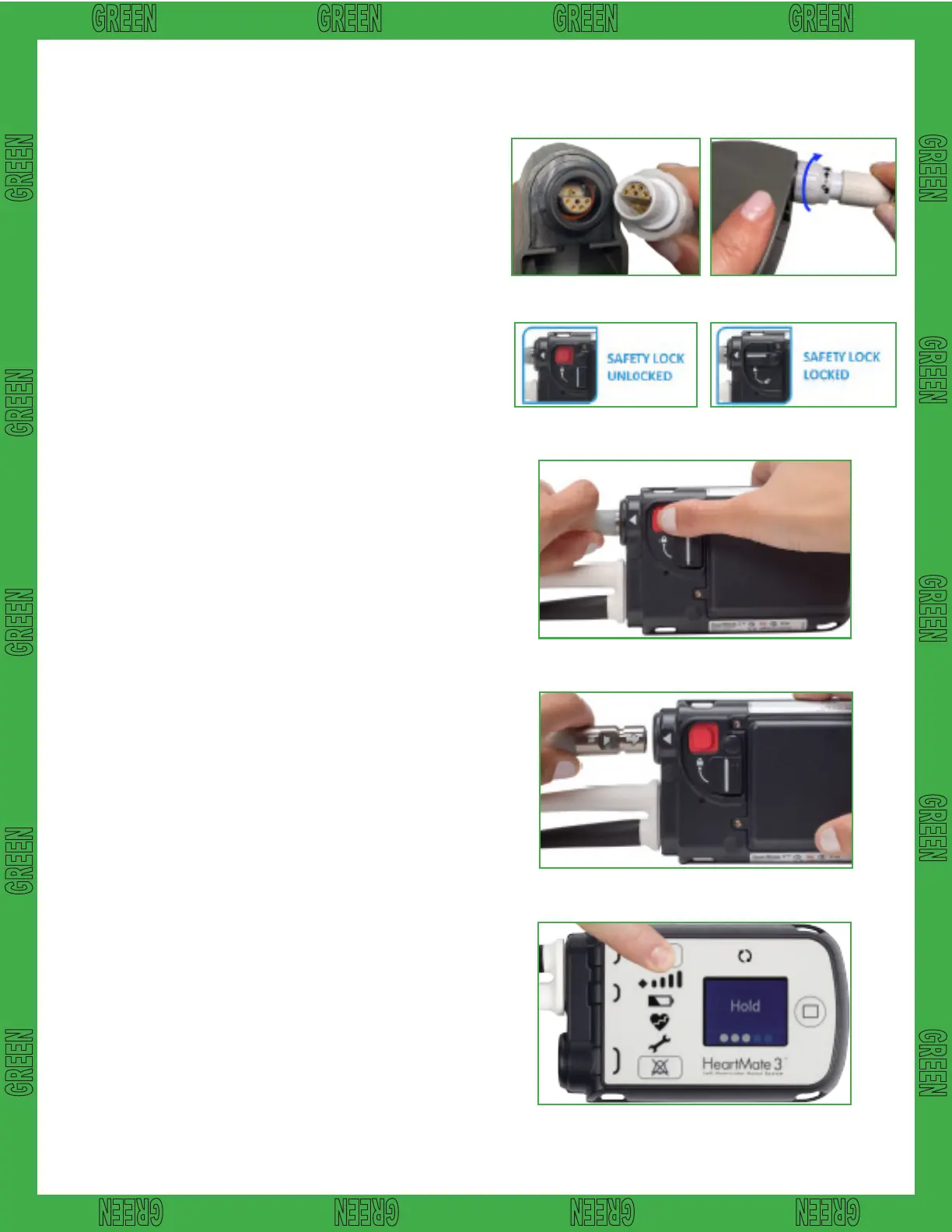
Step 3: Attach the battery clips to the replacement
controller by lining up half circles, rmly pushing
together, and tightening connector nut. Insert the
batteries into the clips by aligning the RED arrows.
Step 4: On the back of the replacement controller,
slide the safety lock so the red release button
is fully visible. Repeat this step on the original
controller.
Step 5: Disconnect the drive-line from the original
controller by pressing the red release button and
pulling it out. The pump will stop and an alarm
will sound. Note: The alarm will continue until the
original controller is turned off. You can silence
the alarm by pressing the silence alarm button.
Gettingthereplacementcontrollerconnected
andthepumprestartedisthefirstpriority!
Step 6: Connect the replacement Controller by aligning the
WHITE ARROWS on the driveline and replacement
Controller and rmly pushing the driveline into the
replacement Controller. The pump should restart, if
not complete the following steps:
l
Firmly press the Silence Alarm or Battery
Button to restart the pump.
l
Check the power source to ensure that power
is going to the controller.
l
Ensure the driveline is fully inserted into the
socket by gently tugging on the metal end.
DO NOT pull the driveline.
Step 7: After the pump restarts, slide the safety lock
on the new controller so the red release button
is fully covered. If unable to close the safety
lock into fully locked position, gently push the
driveline into the controller to ensure proper
connection. Retry to close safety lock.
Step 8: Disconnect power from the original Controller.
Step 9:
Hold down battery symbol for 5 full seconds for
complete shutdown of old controller.
Troubleshooting HeartMate 3™ LVAS
Step 3
Step 4 Step 7
Step 5
Step 6
Step 9
Thisguidedoesnotsupersedemanufacturerinstructions.
12














 To Previous Page