Starting a New Sensor
2 Start new sensor with reader
Start New
Sensor
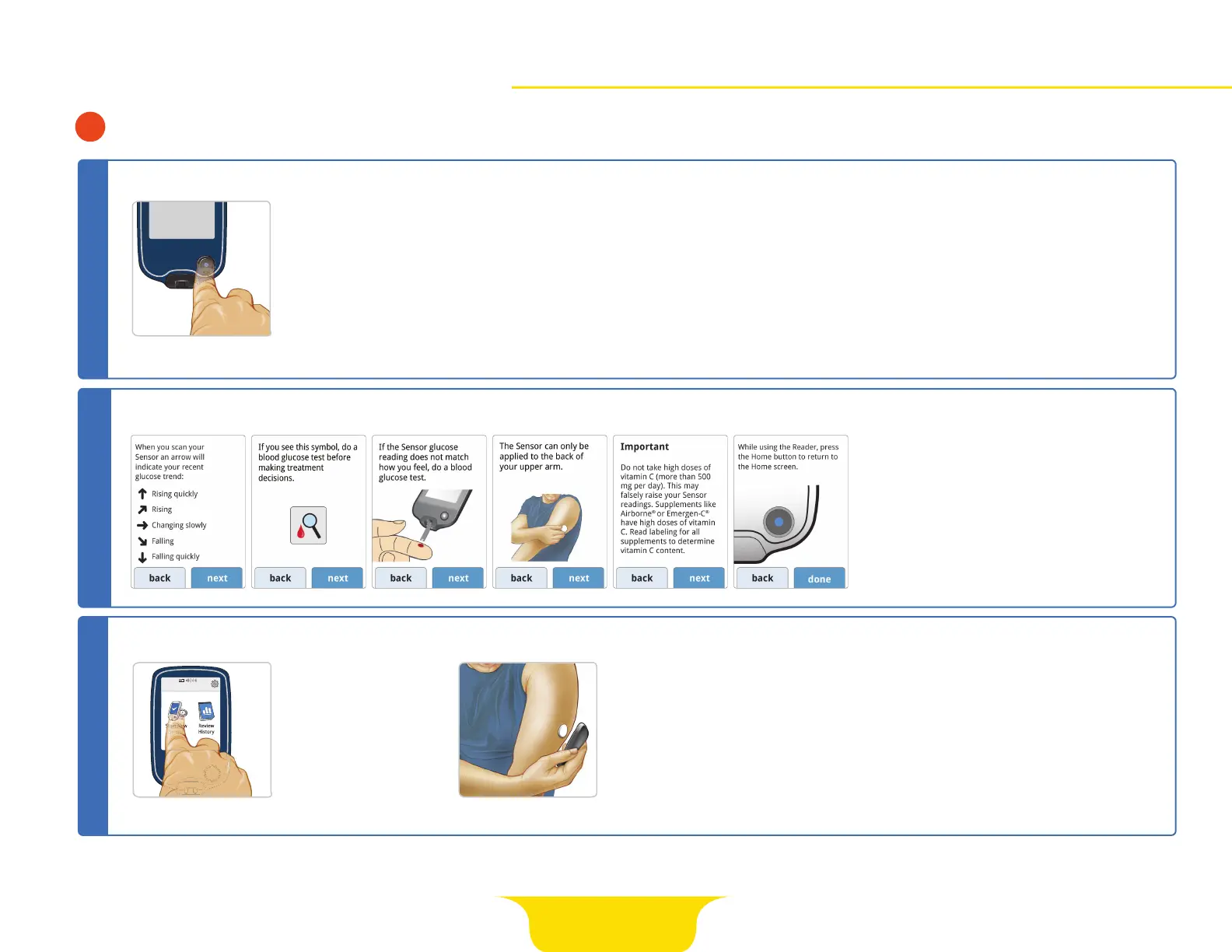
Press Home Button to turn
on reader.
Follow the prompts to set
date and time.
The reader now displays
important information about
key topics to help you use
the system. The screens are
shown below.
STEP 1
IMPORTANT READER SCREENS
STEP 2
Touch
Start New Sensor.
• How to understand the Glucose Trend
Arrow included on the Glucose Reading
screen
• When to do a blood glucose test
• Where to apply the Sensor
• Why not to take more than 500 mg of
Vitamin C supplements per day
• How to return to the Home Screen from
any other screen
Hold reader within
1.5 inches (4 cm)
of sensor to scan it.
Sensor can be used
to check your glucose
after 1 hour.
STEP 3
Start New
Sensor
Review
History
No Active Sensor
10:23pm
Start New SensorStart New Sensor
Important Screens
Page 8 of 25















 To Next Page