RF Telemetry Icons
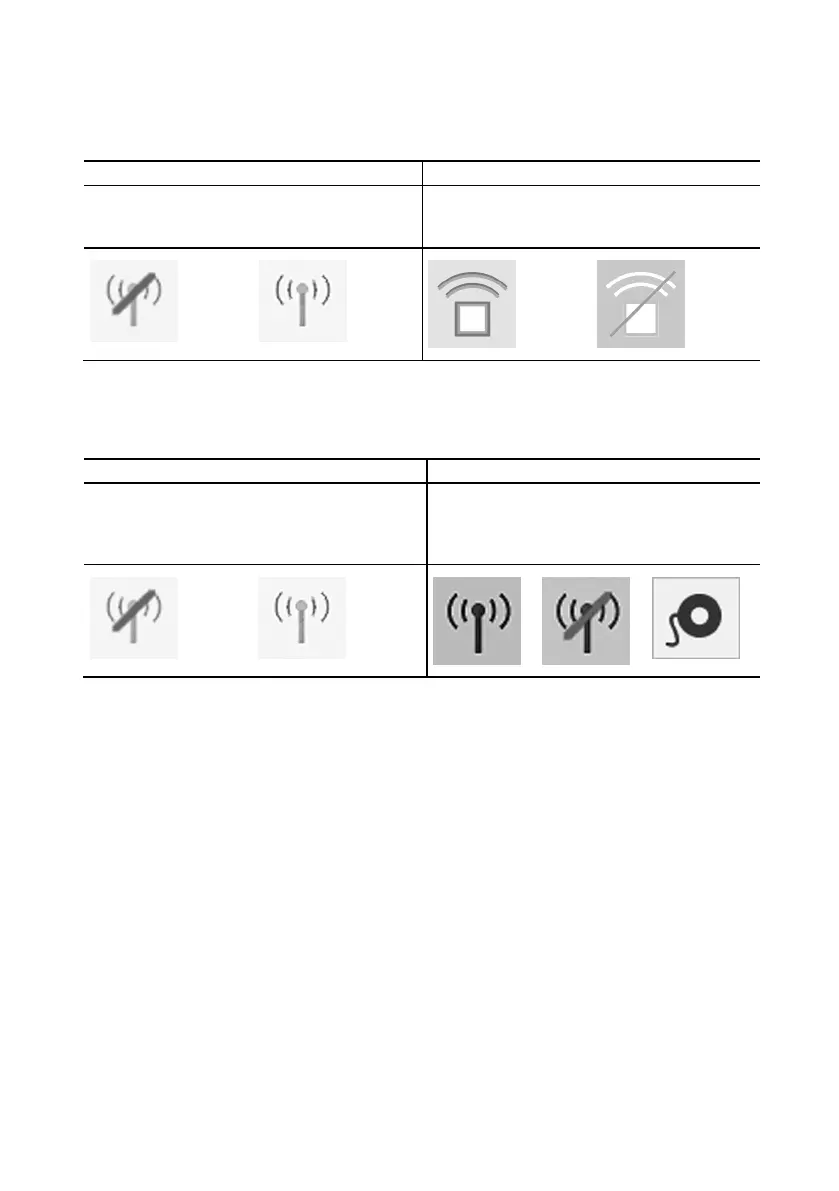
Table 1. RF telemetry icons for tachycardia devices
Disconnected
Antenna/Not Working
Ready to connect to
device
Active RF telemetry
connection
Inactive RF telemetry
connection
Table 2. RF telemetry icons for bradycardia devices
Start-Up Screen Icons Application Icons
Disconnected
Antenna/Not Working
Ready to connect to
device
Active RF
telemetry
connection
Inactive RF
telemetry
connection
Only wand
telemetry is
available
Bluetooth Wireless Communication Setup
The Merlin™ 2 PCS is Bluetooth
®
Low Energy wireless compatible. Bluetooth is built into the
Merlin 2 PCS. This allows for communication between the Merlin 2 PCS and an implanted device
that supports Bluetooth Low Energy wireless communication without the need for a dongle.
- Do not put anything between the Merlin 2 PCS and the implanted device. People and
objects may interfere with communication between the Merlin 2 PCS and the device.
- Confirm that the Bluetooth icon is visible on the Merlin 2 PCS Start-up screen.
- Follow the instructions provided on the Start-up screen to begin communication
between the Merlin 2 PCS and an implanted device that supports Bluetooth Low
Energy wireless communication.
- Do not use a Bluetooth dongle.
CAUTION: For optimal Bluetooth Low Energy wireless communication, the
Merlin 2 PCS and St. Jude Medical implantable devices should be within 2 m (6.6 ft) of
each other in normal use. Do not operate a device that may generate interference,
such as a powerful microwave oven, when utilizing Bluetooth Low Energy wireless
communication.










 To Next Page