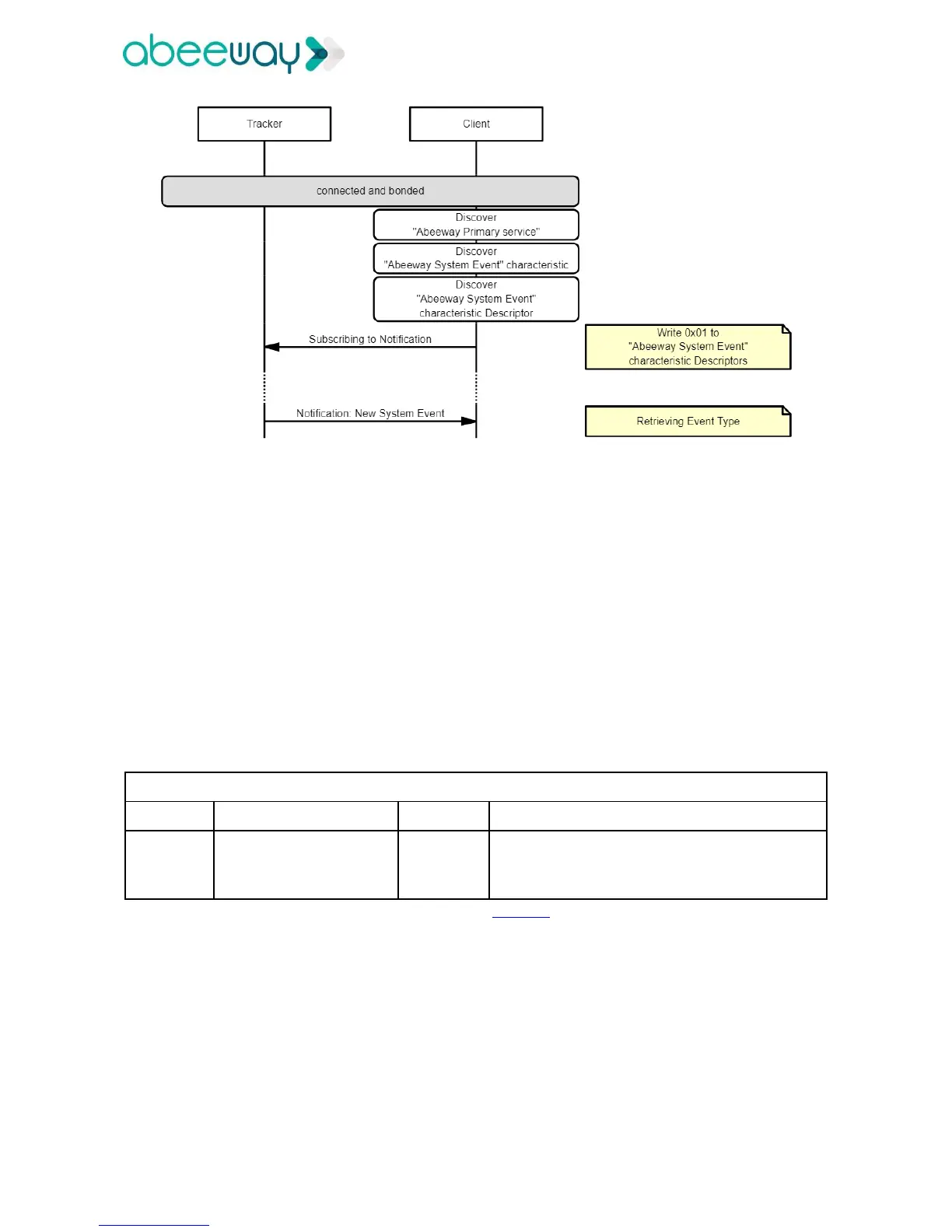
Following diagram explains the procedure to discover the tracker services:
Once a System Event Notification has been received, the client application should retrieve the event type
by reading the notification content.
4.3.5 Immediate Alerts
4.3.5.1 Immediate Alerts sent by the tracker
If the Client application supports a GATT server containing Immediate Alert Service, the tracker will write to
its characteristic value the alert levels as described below:
➢ 0: No Alert
➢ 1: Alert Medium. :not used
➢ 2: Alert High: triggered with a short button press.
It is up to the Client application to decide how it reacts according to the level of alert received.
4.3.5.2 Immediate Alerts received by the tracker
The Client application is allowed to send immediate alerts to the tracker.
When the tracker receives an immediate alert, it plays a BLE alert melody. This feature allows the user to
locate the tracker.
4.3.6 Tracker parameters configuration
4.3.6.1 Introduction
The Client application can update and retrieve the tracker parameters by sending the corresponding ATT
Write command (WRITE_CMD).



 To Next Page