ABELL A-82 UHF Service Manual
- 6 -
PC MODE
Preface
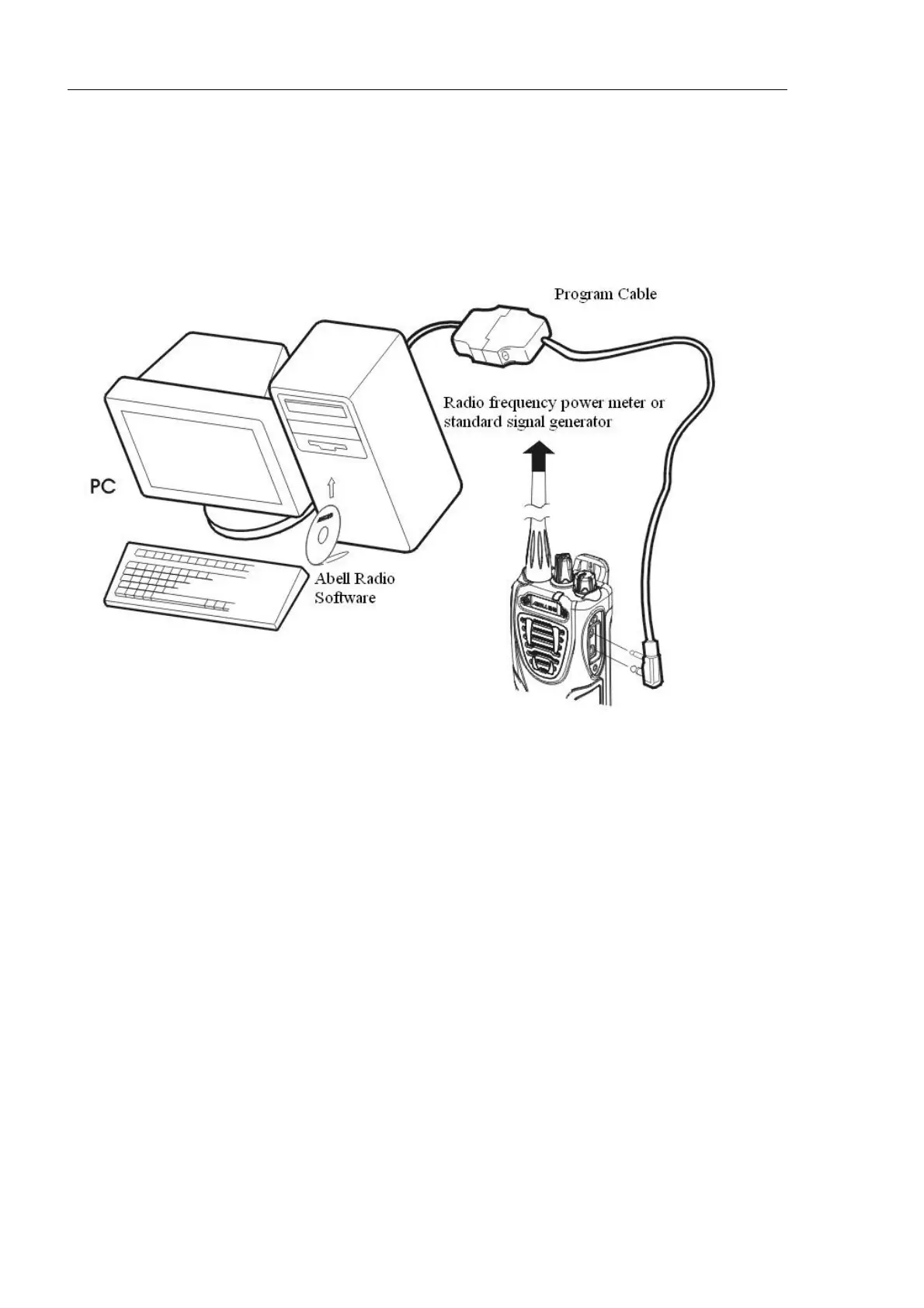
The transceiver is programmed by using a personal computer, programming interface (provided by
ABELL) and programming software. Chart 2 shows how the devices work.
Chart 2
Connection procedure
1)Connect the A-82 to the personal computer with the interface cable.
2)Operate A-82 prgramming software.
3)Set the communication interface
4)Operate the programming to the radio
5)When data is transmitting from the transceiver the red LED lights.
When data is receiving by the transceiver the green LED lights.
Notes:
·The data stored in the personal computer must match the Model Name when it is written into the
EEPROM. Run the software and connect the transceiver with the personal computer, and then turn
ON.
·DO NOT press the [PTT] key during data transmission or reception.


 To Next Page