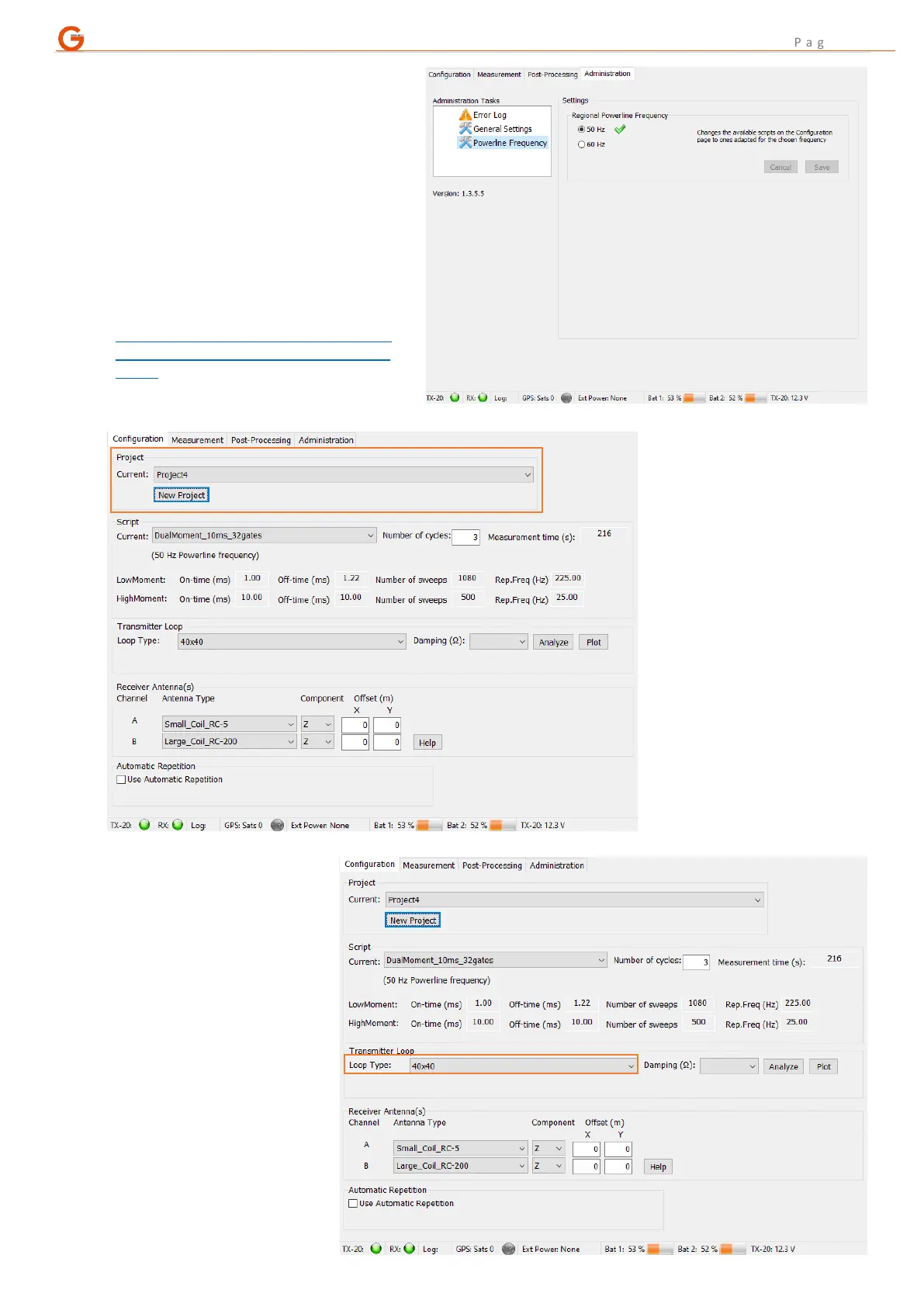
A. The first step is to navigate to the
“Administration” tab (PGUp or PGDn)
and choose the correct frequency of
electricity transmission for the country
or region you are surveying within.
This ensures that only the measurement
scripts suitable for use in that region are
offered on the configuration tab.
A summary, listed by country, can be found here
– other resources are available:
https://en.wikipedia.org/wiki/Mains_electricity_
by_country#Table_of_mains_voltages_and_freq
uencies
Accessed: 5
th
October 2020
B. Navigate back to the
“Configuration” tab and
either use the currently
active project, a previous
project to add additional
stations or select “New
Project”.
Projects are automatically
numbered sequentially.



 To Next Page