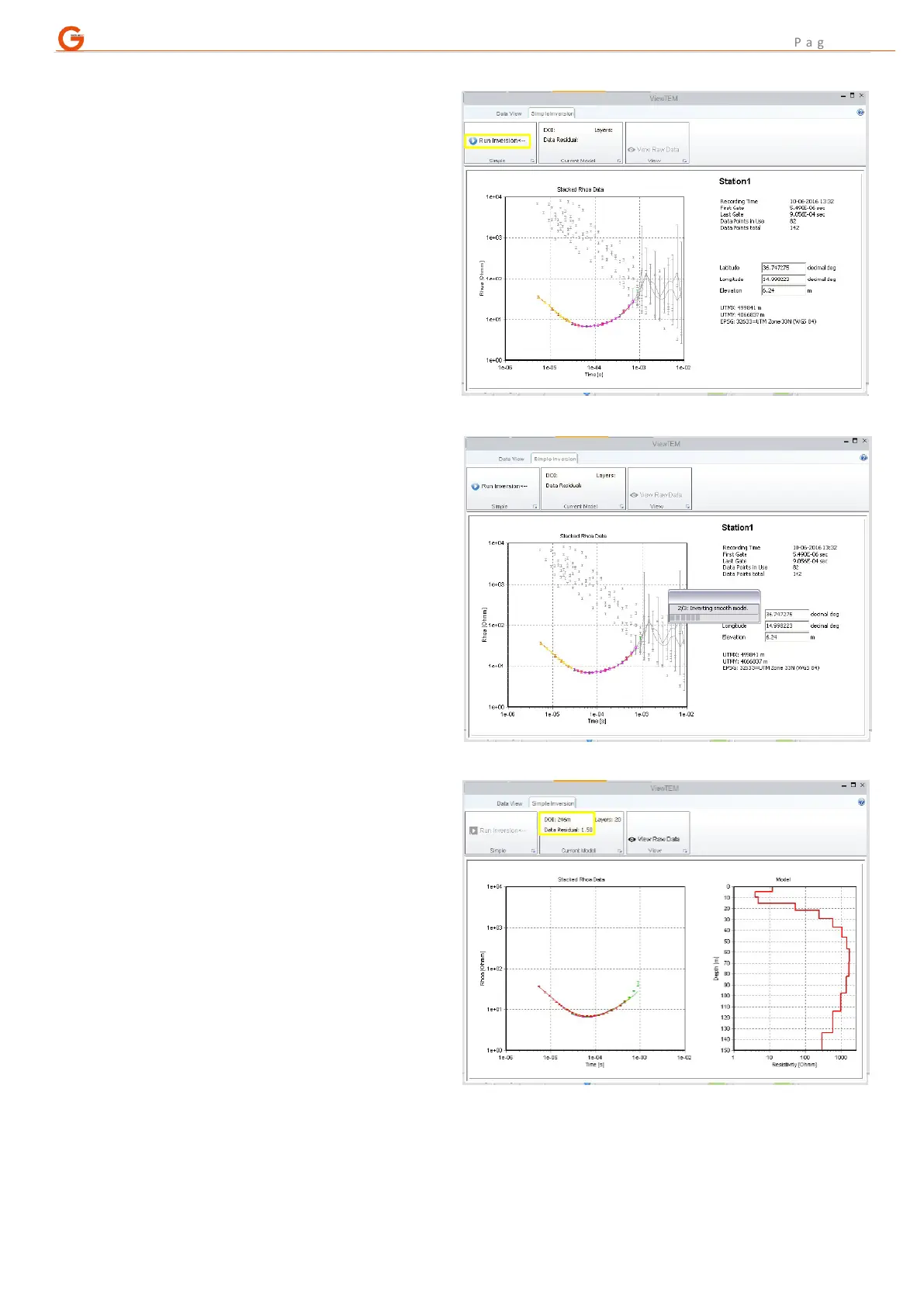
C. With a station highlighted, either select
“Model Data” from the menu or shortcut
to it by pressing “Shift+4”.
The SPIA TEM software will start (this can
take some time).
Use PgUp/PgDn to switch between the
inversion tab and the data view tab
where options to view individual
channels and raw or stacked curves are
available.
When ready to carry out an inversion,
ensure that the small black arrow is at
the right-hand end of “Run Inversion”
(this may require a single press on the
down arrow on the WalkTEM 2 front
panel) and press “Ent” on the keypad.
The inversion software will automatically
discard poor quality readings and
complete the inversion provided there
are sufficient good data points available.
Data points that will be carried forward
for the inversion are always coloured,
whilst those which have been
automatically discarded will be greyed
out.
After the inversion has been completed
(approximately 1-2 minutes), a smooth-
layered model will be displayed with a
residual value giving an indication of the
model’s reliability.
To exit SPIA TEM and return to the data
collection software, press “ESC”.
The modelled data will be saved in the
regular project folder and exported along
with the sounding data. Once the project
is opened in the desktop version of
Aarhus SPIA TEM, the instrument
inversion will be there and available for
further processing or just as a
comparison with a new set of inversions.



 To Next Page